Hardware connection
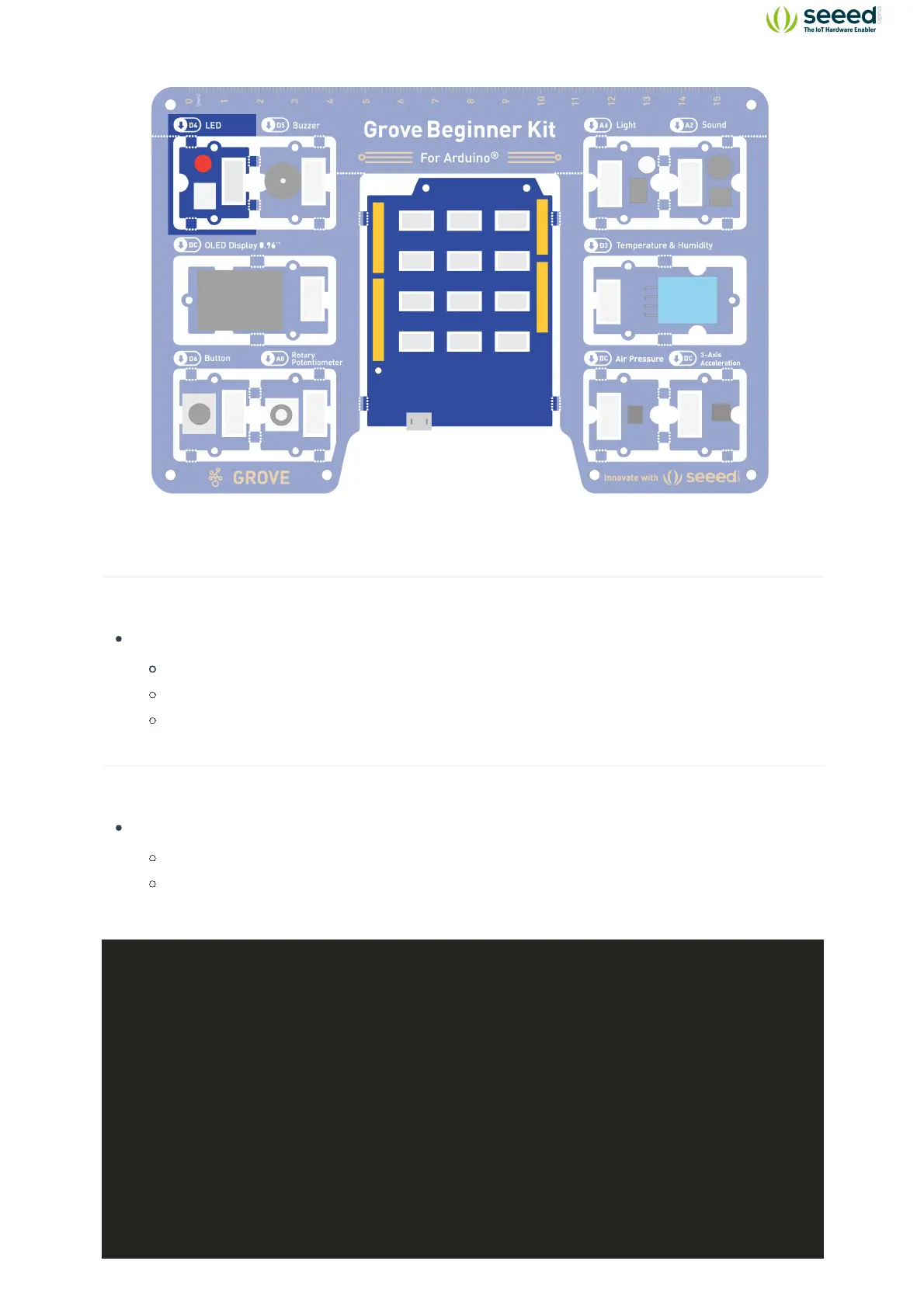
Module connection
Default connection by PCB stamp hole.
Connect the Seeeduino to the computer through the USB cable.
Software Code
Open Arduino IDE.
Copy the following code, click Verify to check for syntax errors. Verify that there are no
errors, and you can upload the code.
//LED Blink
//The LED will turn on for one second and then turn off for one second
int ledPin = 4;
void setup() {
pinMode(ledPin, OUTPUT);
}
void loop() {
digitalWrite(ledPin, HIGH);
delay(1000);
digitalWrite(ledPin, LOW);
delay(1000);
}


 To Next Page