Lesson 5: Making an Light Induct LED
The light sensor contains a photosensitive resistor to measure the intensity of light. The
resistance of the photosensitive resistor decreases with the increase of light intensity. The output
signal is the analog value, the brighter the light source, the larger the analog value. Based on this
property, you can use it to make a light switch.
In the following sections, we will use Serial Monitor to observe results from our sensors so here
comes the brief introduction!
Background Information:
What is Serial Monitor
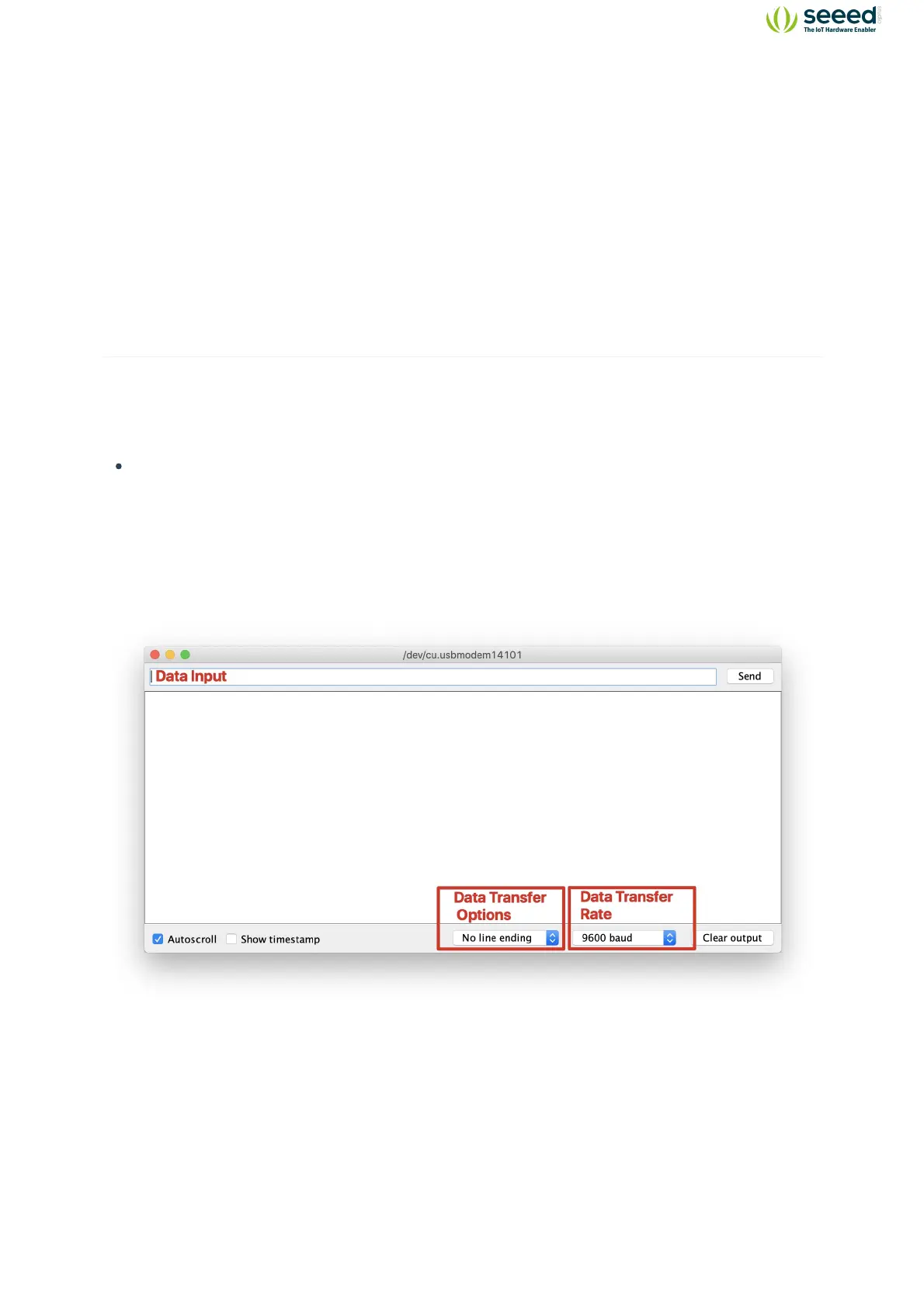
Serial Monitor is a useful tool to observe results on Arduino, it can be very useful in terms of
printing results from the sensors or debugging in general. You can also send data back to the
controller via the serial monitor to do certain tasks! Note: Make sure the Serial data transfer
match with the code.
You can open the Serial Plotter by clicking Tools -> Serial Monitor.


 To Next Page