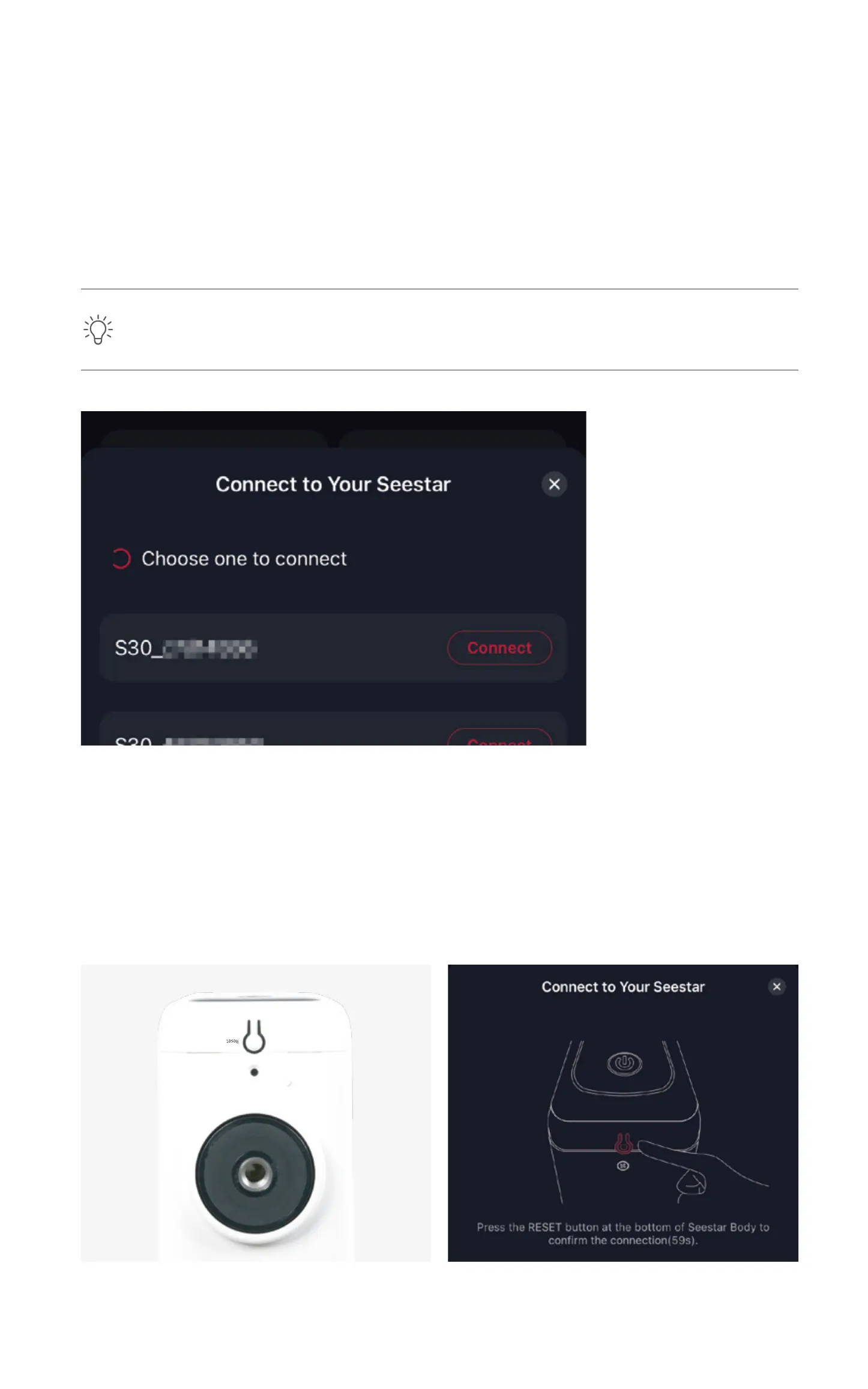
2.3. The App will scan for nearby Seestar S30
devices available for connection. Select the device
you wish to connect from the list and follow the
on-screen prompts to complete the connection.
2.6. After successfully connecting via Bluetooth,
the App will automatically connect to Seestar
S30's Wi-Fi. If the connection fails, follow the
prompts to retry or manually connect to Seestar
S30's Wi-Fi.
2.5 You will also need to activate the Seestar S30
online during the initial connection.
Ensure that your phone or tablet has internet
access to complete the activation process.
2.4. For the first-time connection, press the reset
button on the bottom of the device to confirm the
Bluetooth connection.
*Each device's name can be found on the product label at the
bottom of the unit.
• During activation, do not minimize or close the Seestar App.
• If activation fails, check your network and try again. If the
issue persists, please contact our customer support.


 To Next Page
 Loading...