−59−
④ Slowlyslidethemonitorboxabout7cm
forward.Becarefulnottoslideittoofar,
asthismaydamagethewires.
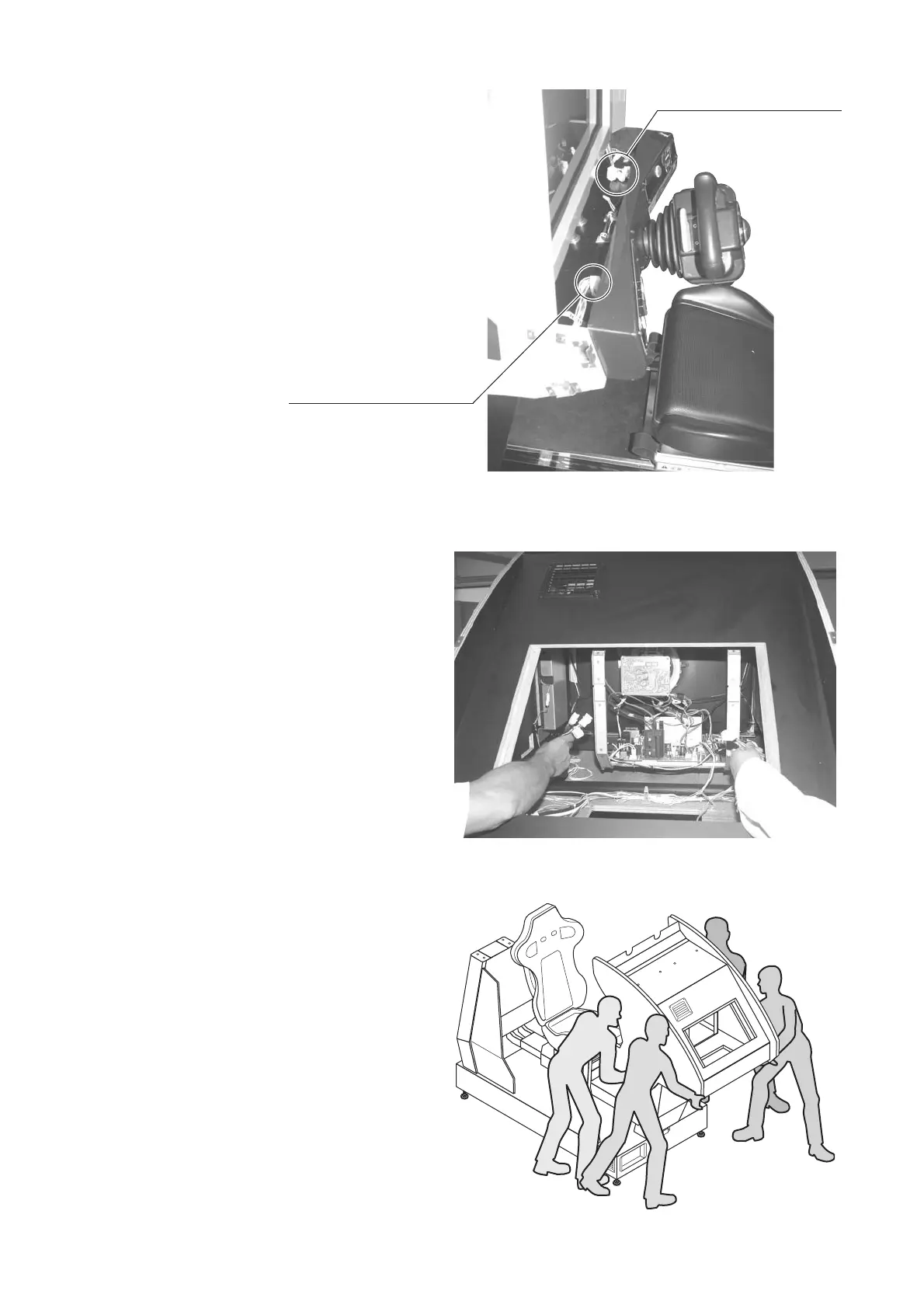
⑤ Unplugthewireconnectorsfromthe
insideofthecontrolpanel.Facingthe
controlpanel,thereis1connectoronthe
leftsideand4ontherightside.Unfasten
thecordclampholdingthewiresinplace
andpullouttheconnectors.
Unplugtheconnector(4)
Unplugtheconnector(1)
PHOTO8.2s
⑥ Reachthroughthemonitorlidintothe
controlpanelandpulltheunplugged
wireconnectorstowardsthemonitor
lid.
PHOTO8.2t
⑦With2peopleholdingontoeachside
ofthemonitorbox,slideitforward
outofthemachine.
⑧ Whenplacingthemonitorboxaside,
takecarenottopinchfingersortoes.
FIG.8.2b


 To Next Page
 Loading...