14 |
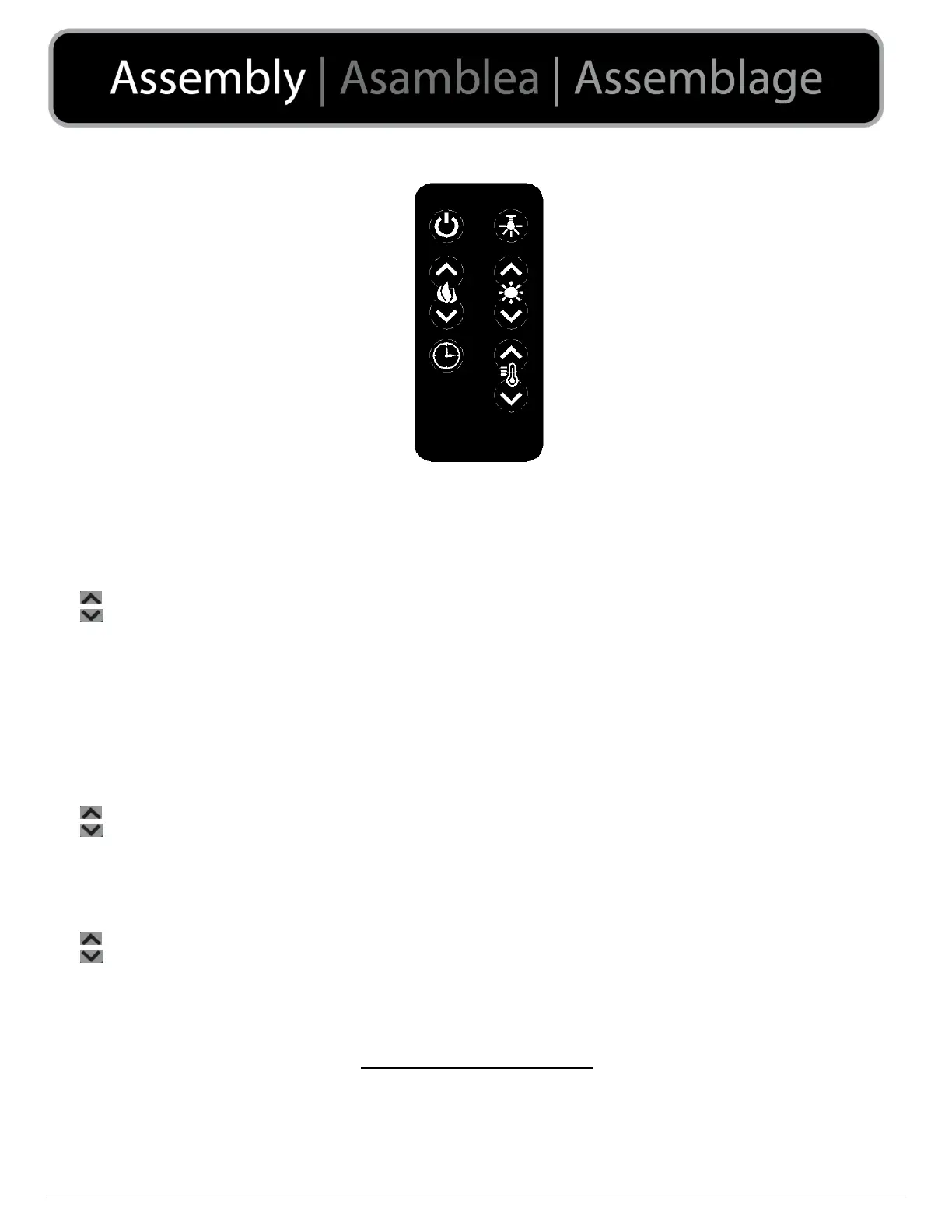
Remote Control Operating Procedures:
(1) Power:
Press to turn the unit ON/OFF
(2) Flame:
Press to adjust the level of brightness of the flame: F5- F4- F3- F2- F1- OFF. (F5 being the brightest and F1 the dimmest)
: raise the level of flame brightness
: lower the level of flame brightness
(3) Timer:
Press to adjust the duration of the heater: 30 min- 1H- 2H- 3H- 4H- 5H- 6H- 7H- 8H- 9H- OFF
(4) Down Light:
Press to adjust the Down Light Color: d0 - d1 - d2 - d3 - d4 (d0:OFF, d1:Red, d2:Orange, d3:Blue, d4:White).
(5) Log:
Press to adjust the level of brightness of the log: L5- L4- L3- L2- L1- OFF. (L5 being the brightest and L1 the dimmest)
: raise the level of log brightness
: lower the level of log brightness
(6) Heater:
Press to turn the heater ON/OFF. Adjust the temperature rating as follows: 62°F -- 82 °F (17 °C --- 27 °C) Note: ℉ is the
default unit.
: raise the temperature rating
: lower the temperature rating
Note: Do not mix old and new batteries.
Do not mix alkaline, standard (carbon-Zinc) or rechargeable (nickel-cadium) batteries.
Self Regulating Heater
The heater will turn on when temperature is set higher than the room’s temperature and it will automatically
turn off when the room has reached the desired temperature.


 To Next Page