EasyManua.ls Logo

Seiko 4R35A - Function Check Procedures

Seiko 4R35A
18 pages
Print Icon
To Next Page IconTo Next Page
To Previous Page IconTo Previous Page
Loading...
TECHNICAL GUIDE
Cal. 4R35A
16/18
l
F
unction check
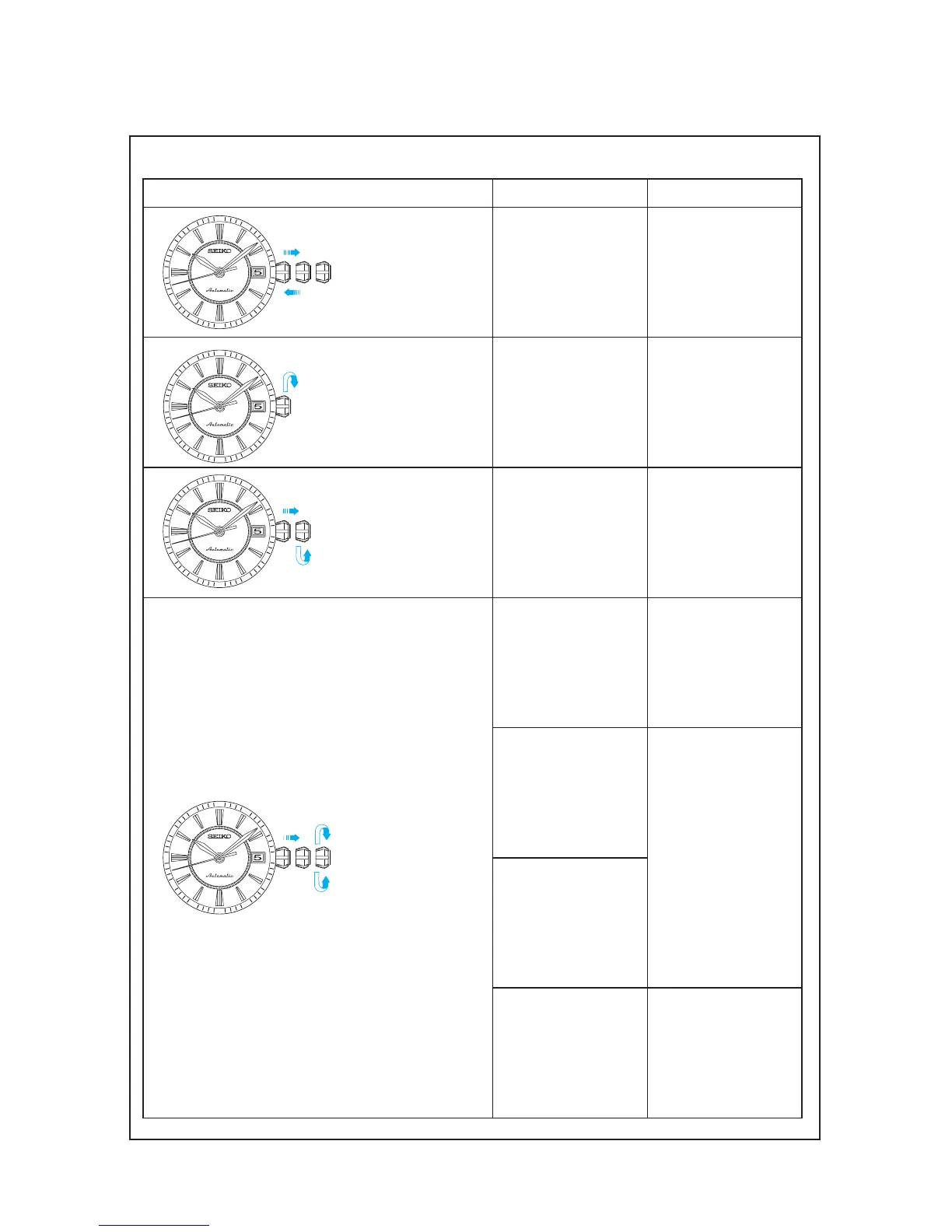
Operation Function Checkpoint
Pull out the crown to
the 2nd click and push
it back in to the normal
position. Repeat the
same several times.
Se t ting mechanism
switching the function
of the time setting.
Make sure that it has a
click at each position
and the stem is not
pulled off.
Tu r n t h e c r o w n
clock wi se at the 0
click.
H a
n d w i n d i n g
function.
Make sure that the
mains pring can be
wound by turning the
crown clock wise.
Pull out the crown to
the 1st click, then turn it
counterclockwise.
Calendar mechanism
- correcting the date.
Make sure that the date
changes smoothly.
Pull out the crown to the
2nd click, then turn it.
Se c o n d han d s t o p
function.
Make sure that the
second hand stops when
the crown is pulled out
to the 2nd click.
Setting mechanism -
hour and minute hand
setting.
Make sure that the hour
and minute hands move
s m o ot h l y ( w i t hou t
touching each other or
touching the surface of
the dial or inside of the
glass).
Ha
nds installation.
calendar mechanism
- date change.
Make sure that the date
changes when the hour
and minute hands pass
around midnight.
5
35
10
15
40
55
25
60
30
50
45
20
5
35
10
15
40
55
25
60
30
50
45
20
5
35
10
15
40
55
25
60
30
50
45
20
5
35
10
15
40
55
25
60
30
50
45
20

Related product manuals