EasyManua.ls Logo

Seiko 7S36 - Page 7

Seiko 7S36
10 pages
Print Icon
To Next Page IconTo Next Page
To Previous Page IconTo Previous Page
Loading...
13
English
English
12
1
Unlock the
crown by turn-
ing it counter-
clockwise.
Pull out the
crown to the
first click.
2
Turn the crown
counterclockwise
until the previous
day's date appears.
3
4
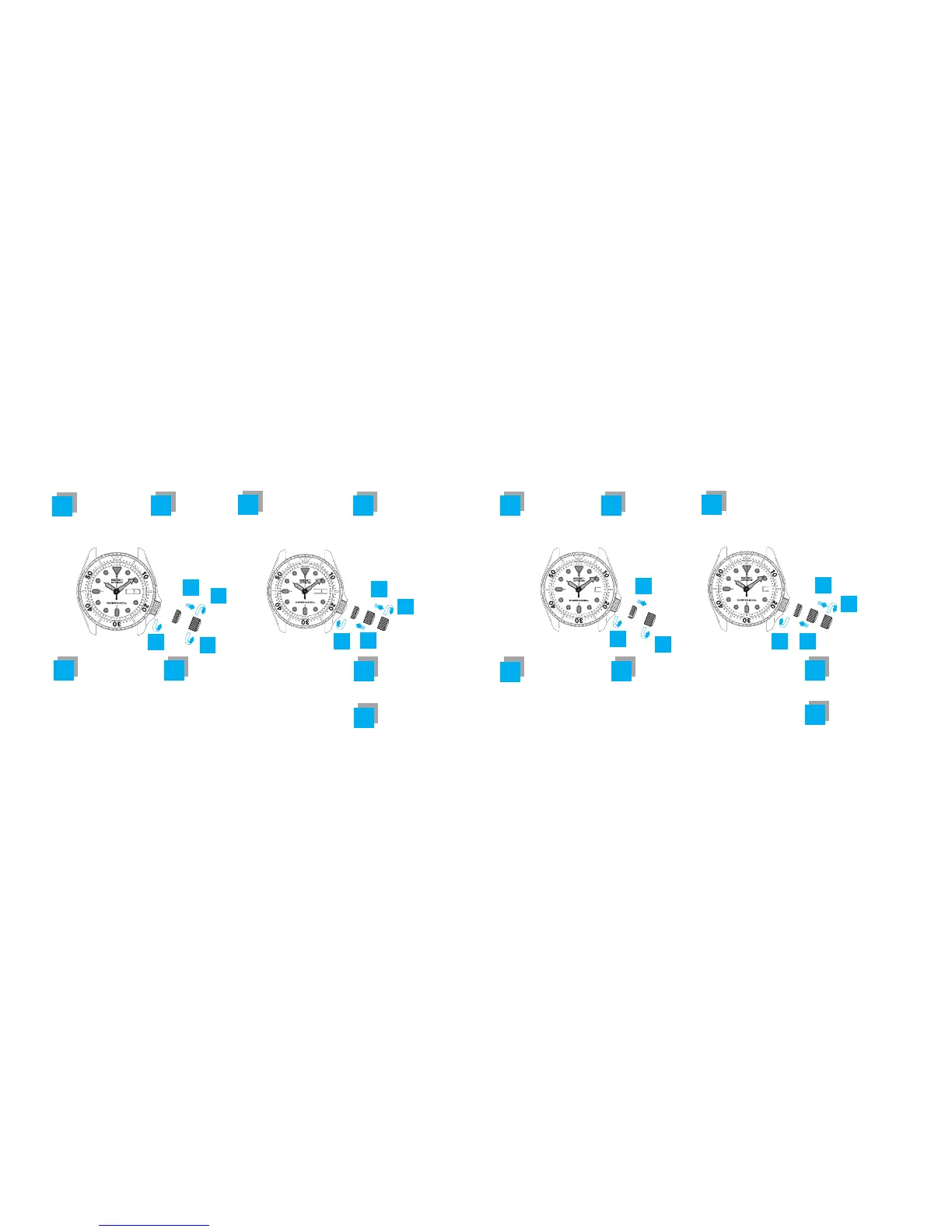
TIME/CALENDAR SETTING (
4R36
)
2
3
4
1
5
6
7
8
Pull out the crown
to the second click
when the second
hand is at the 12
o'clock position.
(The second hand
stops on the spot) .
5 6
Turn the crown to
advance the hands
until the date and
day change to the
next. When they
have changed, the
time is set for the
A.M. period.
Push back the
crown in
accordance with
a time signal.
Lock the crown
by turning it
clockwise while
pressing it.
7
8
*Do not change the day or the date between 9:00 p.m. and 4:00 a.m.
Keep advancing
the hands to set
the correct time.
Turn the crown
clockwise until
the previous day
of the week in
the desired lan-
guage appears.
1
Unlock the
crown by turn-
ing it counter-
clockwise.
Pull out the
crown to the
first click.
2
Turn the crown
counterclockwise
until the previous
day's date appears.
3
TIME/CALENDAR SETTING (
4R35
)
3
5
Turn the crown
to advance the
hands until the
date change to the
next. When it has
changed, the time
is set for the A.M.
period.
Lock the crown
by turning it
clockwise while
pressing it.
4
7
6
4
5
6
2
1
7
*Do not change the date between 9:00 p.m. and 1:00 a.m.
Keep advancing
the hands to set
the correct time.
Pull out the crown
to the second click
when the second
hand is at the 12
o'clock position.
(The second hand
stops on the spot) .
Push back the
crown in
accordance with
a time signal.
16
15
MON
15
MON
16

Related product manuals