RESE
T
BATTERY CHANGE
● When the battery nears its end, the tempo LED display and the
liquid crystal display become dim, and the sound becomes weak.
In that case, replace the battery with a new one immediately.
Otherwise, the metronome may work improperly.
* Be sure to set the (+) an (–) terminals of the battery properly. Otherwise, a
malfunction will result.
*When the battery is replaced with a new one, tempo, beat/rhythm and volume
settings you have made are all erased. Set them as desired before using the
metronome.
* When disposing of the old battery, observe the regulations of the authorities
concerned.
* Keep the old battery and the battery hatch beyond the reach of children. If a
child swallows either of them, consult the doctor immediately.
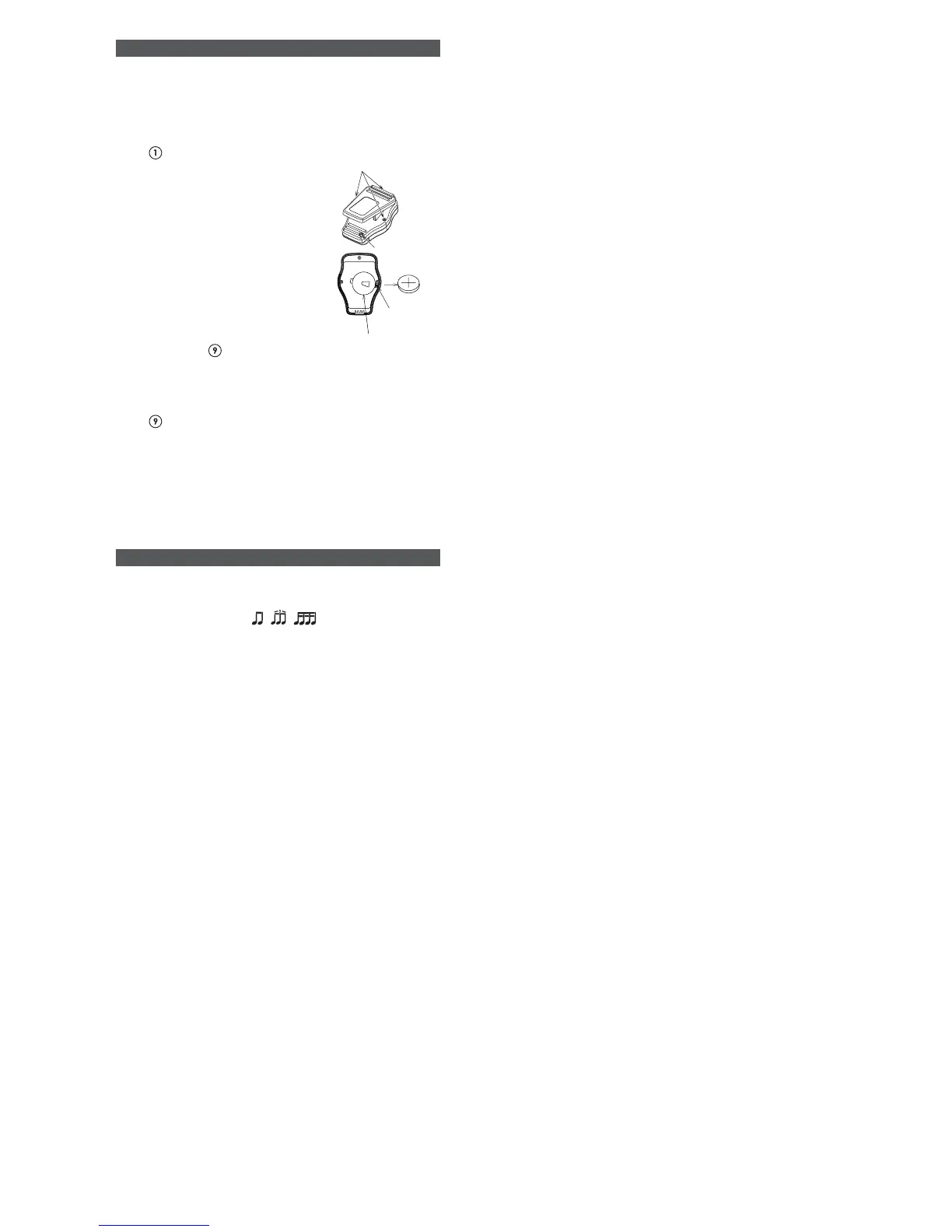
● How to replace the battery
1. Be sure to press the power button
to turn off the metronome.
2. Loosen and remove the three
screws fixing the rear cover.
3. Open the rear cover.
4. Remove the battery clamp screw,
and take out the old battery.
5. Set the new battery inside the white
circle, checking that the (+) and (–)
terminals are properly set.
6. Set the battery clamp, and tighten
the screw to fix it securely.
7. Close the rear cover, and tighten
the three screws to fix it.
8. Pinch open the clip, and push the
reset switch
with a tip of a ball-
point pen or something that has a
sharpened tip.
SPECIFICATIONS
1. Display : Liquid crystal display
2. Speaker : Piezoelectric speaker
3. Tempo range : 30 ~ 250 times/min.
4. Beat/rhythm range : 0 ~ 7, , ,
5. Volume : 4-level volume control (no sound, low, mid and high)
6. Accuracy : ±3%
7. Power supply : Lithium battery CR2025, 1 piece
8. Overall dimensions : 40 (W) x 57 (H) x 35 (D) mm
9. Weight : Approx. 30 g (including battery)
* The design and specifications are subject to change without prior notice for product
improvement.
Screws
Battery clamp
screw
Battery clamp
Reset switch
Be sure to perform this resetting procedure. Otherwise, the
metronome may work improperly. In case the metronome
does not work properly while in use, also push the reset switch
to return it to normal.



 To Previous Page
 Loading...