USER MANUAL
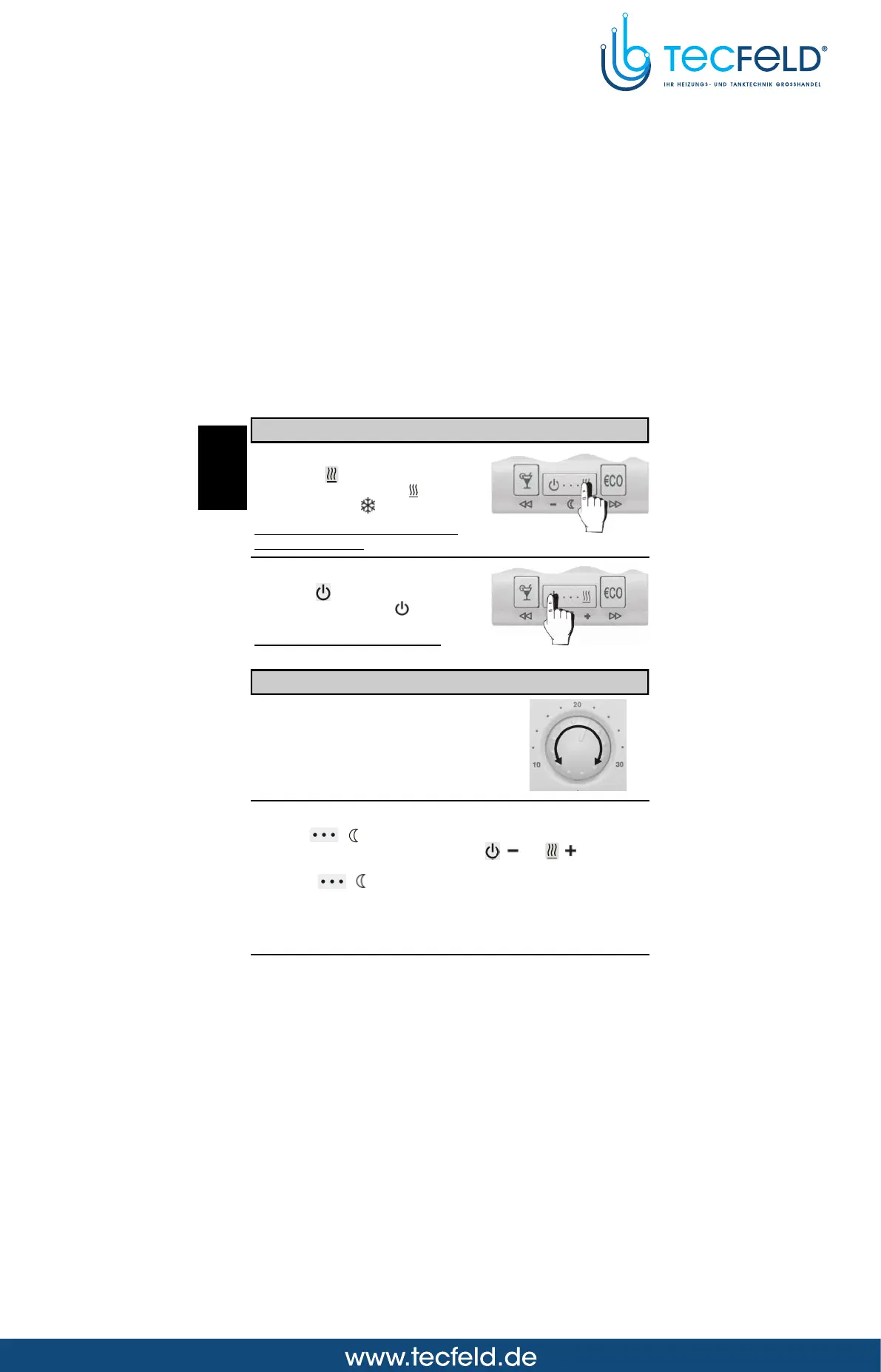
Operating mode selection
Operation
Press key (Picture 2). On the
display appears symbol , when
heating or symbol when cooling.
Thermostat operates according to
the program timer.
Stand-by
Press key (Picture 3). On the
display appears symbol .
Frost protection remains active.
Picture 2
6
Day temperature
Turn knob to set the desired
day temperature between 10 °C
and 30 °C (Picture 4).
Setting the day and night temperature
Picture 4
Picture 3
Night temperature
Hold key ( ) for approx. 5 seconds (Picture 5). Release key
after you hear a beep. Now press key ( ) or ( ) to set the
desired night temperature (Picture 6). To save and quit set-up,
press key ( ) once again .
GB



 To Next Page