TB-6123 Revision 10/06
Page 9 of 12
Installation
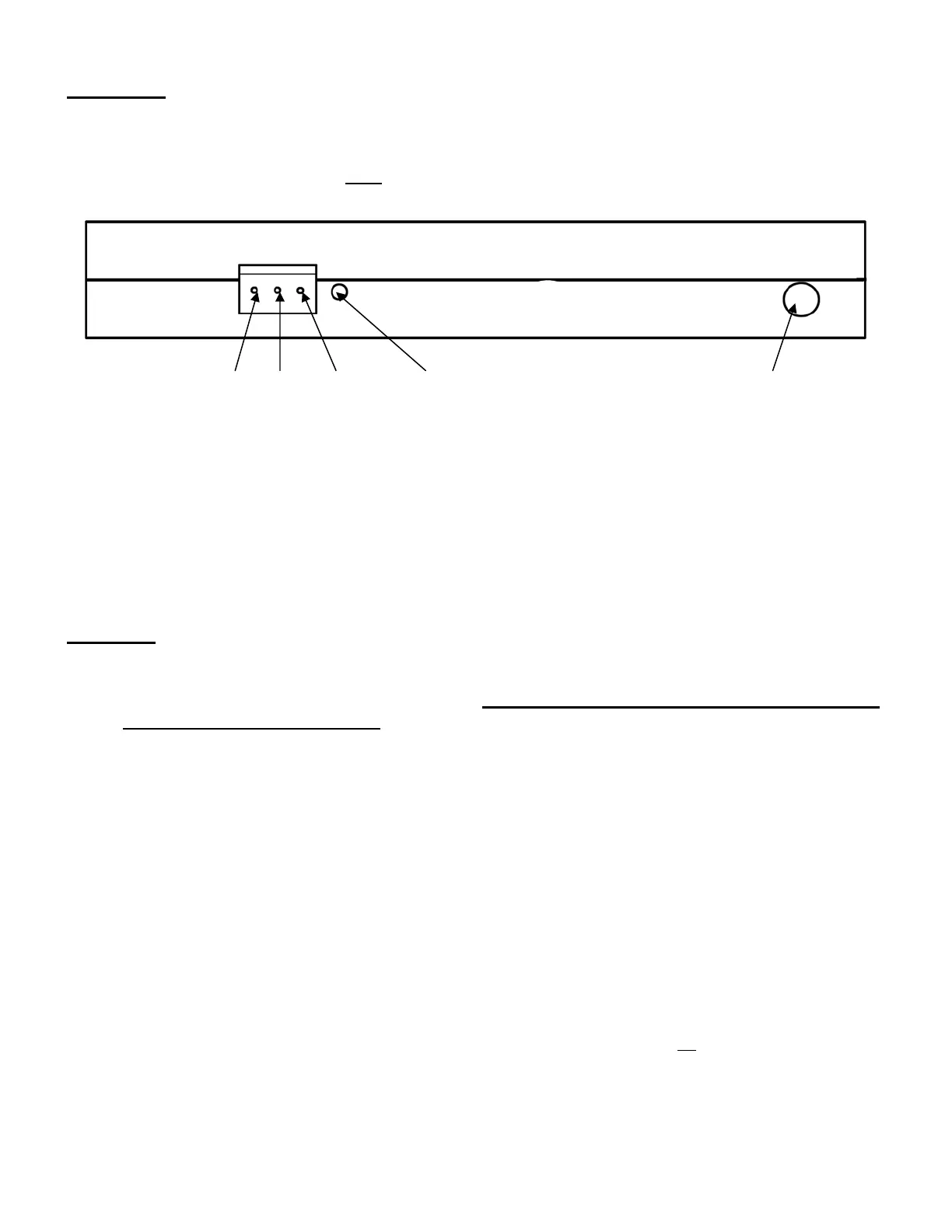
Insert one stereo plug of the 62103 Stereo Plug to Stereo Plug into the stereo jack on the bottom
of the tester. (See Figure 1.) Insert the other end of the stereo plug into the stereo jack at the
back of the foot plate. Verify that both plugs are fully inserted and tight.
Pin 1 Pin 2 Pin 3 Alarm Adjustment Connect stereo wire to footplate
1 & 2: closed/on standby
2 & 3: opened/on standby
2 = com
A relay with both “normally open” and “normally closed” contacts is included for your
convenience. The terminal block on the bottom of the tester has terminals for “normally
closed,” “common,” and “normally open” going from left to right. (See Figure 1.)
Operation
Pushing the touch plate on the front panel starts the test. During the test all LEDs will be
“OFF” to indicate that a test is in progress. The touch plate must remain depressed until
the test results are displayed. Depending on the configuration of the tester, the test could
require up to three (3) seconds.
The resistance is checked from the touch plate to the corresponding foot plate for each foot
and from the touch plate to the wrist strap connector jacks through the operator. A wrist
strap must be plugged into the appropriate jack before the touch plate is depressed if the
wrist strap option is activated. (See “wrist strap option selection” on page 2 above.)
The 62100/62102 can test both single and dual wrist straps. Single wrist straps are plugged
into the banana jack on the left side of the tester. (See Figure 2.) Dual wrist straps are
plugged into the phono jack on the left side of the tester. (See Figure 2.) The phono jack
(dual wrist strap) is above the banana jack (single wrist strap). Automatically determines
what type of wrist strap is being tested.
The LEDs will turn off while the test is in progress; the test results for each foot and wrist
strap will then be displayed for approximately three (3) seconds. If all test results are
“SAFE” the internal relay will be activated while the test results are displayed. The relay can
be used for opening an electric lock to an ESD sensitive area. The maximum contact rating
is: 1A@30VDC. 0.3A 110VAC, 0.5A 125VAC.


 To Next Page
 Loading...