EasyManua.ls Logo

Sena BT10 - User Manual

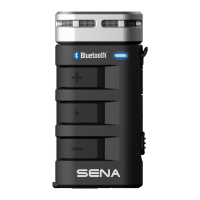
Sena BT10
6 pages
Print Icon
To Next Page IconTo Next Page
Loading...
Bluetooth Pairing Phone, MP3 and GPS
Mobile Phone
Battery Check
Status LED
70 ~ 100%
30 ~ 70%
0 ~ 30%
Power On
- - -
...
- - -
...
- - -
...
Power On/Off
OFF
ON
Tap
or
Press until voice prompt
“Configuration menu”
Voice prompt “Phone pairing”
12”
Tap
Status LED
Enter PIN
0
0 0 0
Voice
Command
Press
3”
Reject
Press
2”
End
Press
2”
Answer
Tap
Speed Dial
Press
3”
Select Sena BT10
......
Device A
Device B
Sena BT10 v1.0
Bluetooth
l
l
......
Press
Call Transfer
3”
Volume Adjustment
Bluetooth Mic & Intercom Quick Start Guide
Tap
Tapping
Tap
Double Tapping
1”
Press for 1 sec
5”3”
Press and Hold
Button Operation
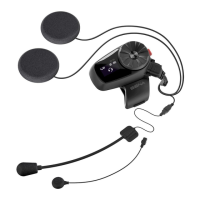
Charging LED
Earbud Jack
Power Switch
Hi-Fi
Microphone
Status LED
(+) Button
Center
Button
(-) Button
Micro-USB Charging Port
A full version of the manual is downloadable at www.sena.com.
It is strongly recommended to use a headphone to properly set
up the system. Use a headphone(not included in the package)
to hear the voice prompts while you set up the system.
1
2 3
Question and Answer IconNeed help?

Do you have a question about the Sena BT10 and is the answer not in the manual?

Sena BT10 Specifications

General IconGeneral
BrandSena
ModelBT10
CategoryIntercom System
LanguageEnglish

Related product manuals