7
1st Friend
2nd Friend
3rd Friend
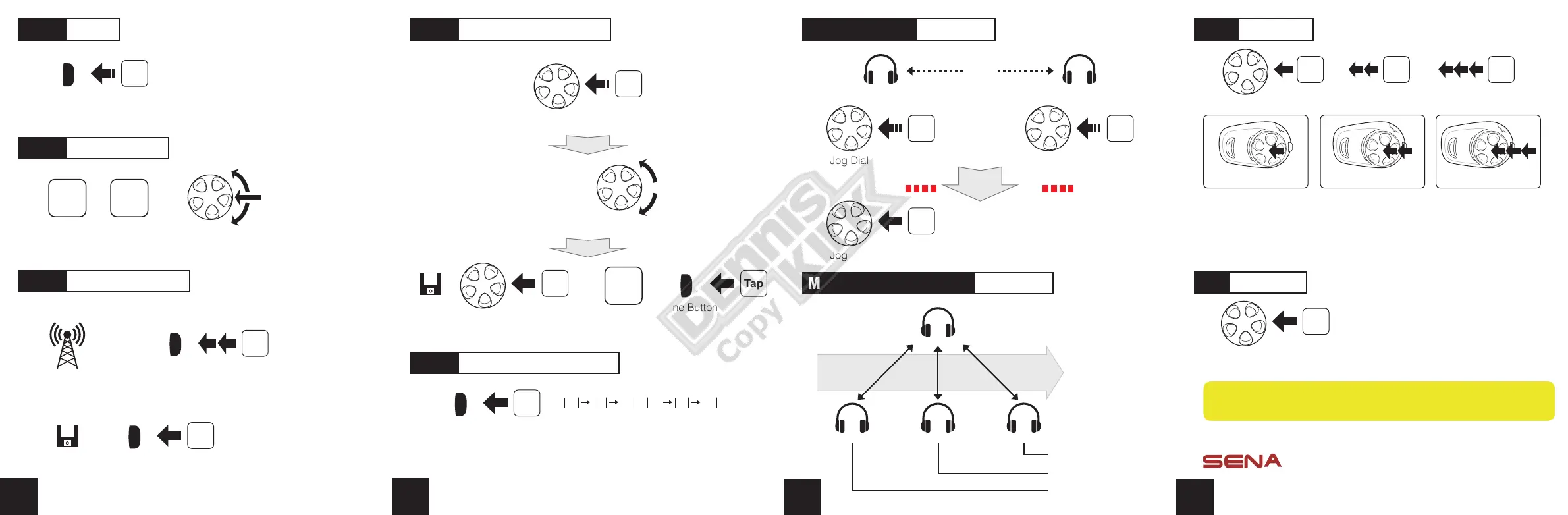
Multiple Headset Pairing Intercom
A
C
Last Come,
First Served
B D
Order of pairing
① ② ③
Headset A Headset B
Jog Dial
Press
5”
Tap
Jog Dial
Headset Pairing Intercom
Pairing
Status LED
Status LED
Jog Dial
Press
5”
8
A full version of the manual is downloadable at
www.sena.com.
Sena Technologies, Inc.
www.sena.com
Customer Support : support.senabluetooth.com
Tel: 408-300-9797 E-mail : support@sena.com
/ /
Tap Tap Tap
Jog Dial
3rd Friend
Triple Tap
1st Friend
Tap
Start Intercom
2nd Friend
Double Tap
Tap
Jog Dial
End Intercom
Jog Dial
Rotating
while Pressing
/
Save
Seek
Up
Seek
Down
Radio On/Off
press
2”
Phone Button
Save to preset while scanning
Radio Seek Stations
Radio Scan Up FM Band
Tap
Phone Button
Phone Button Double Tap
Tap
Start
or
Stop
5
Radio Move to Preset Station
Phone Button
Tap
1 2
......
5 9 10
Phone Button
or
Radio Save or Delete Preset
Tap
Jog Dial
Save
Tap
press
2”
Jog Dial
1, 2, 3,
...
,
9, 10, Cancel
Jog Dial
Rotating
Delete
Refer to the full version of the manual for Temporary Preset and
RDS (Radio Data System) On/Off.
6



 To Previous Page
 Loading...