6 WWW.SENIXTOOLS.COM
$66(0%/(7+()2/',1*+$1'/(
$66(0%/<
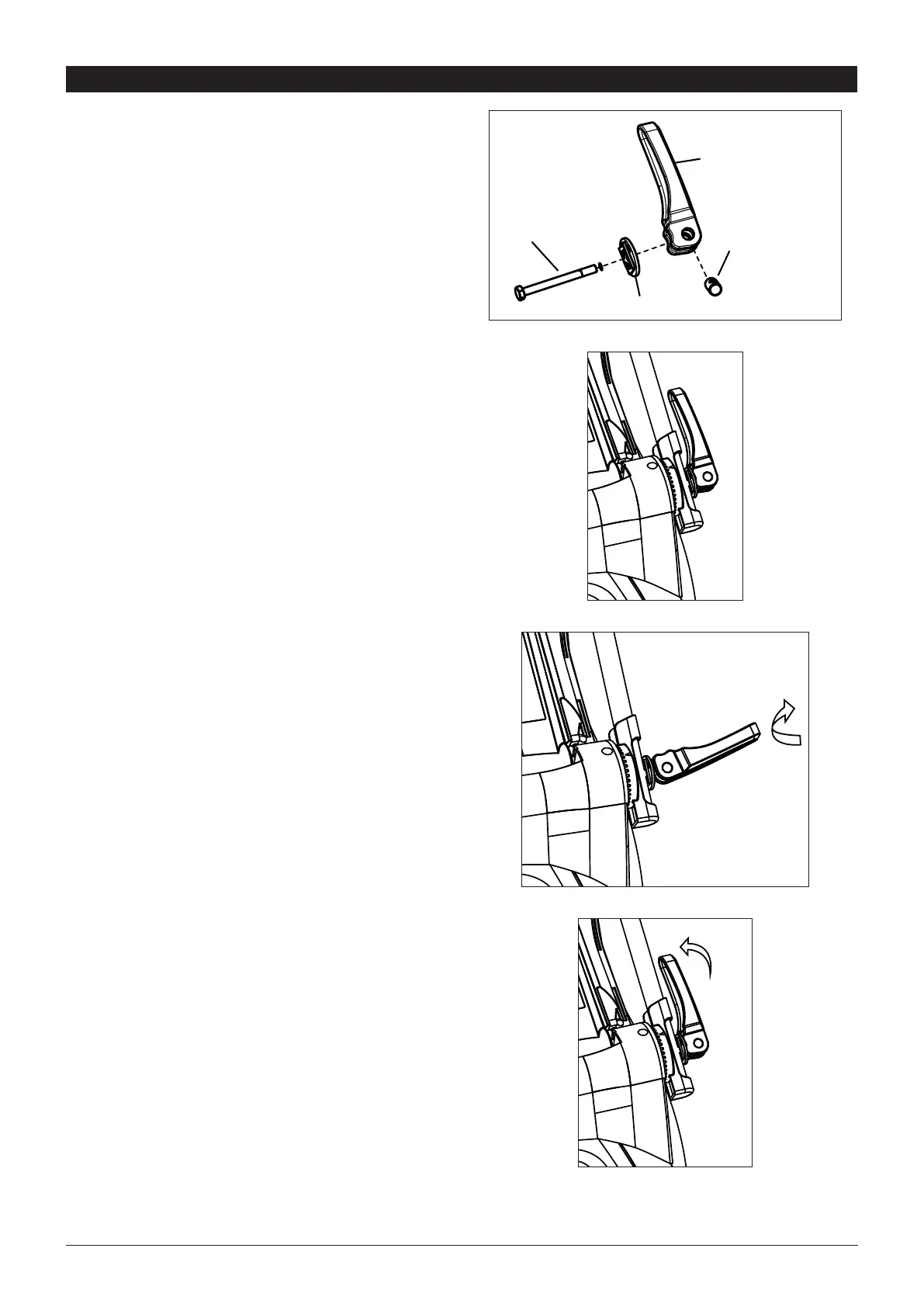
1. Insert the captive nut into the handle.
$I¿[DQGDGMXVWWKHORZHUKDQGOHEDUVLQWRWKHXQLW
body with washers, and locking handles with captive
nuts installed.
3. Connect the upper handle and the lower handle with
the bolts, washers, and locking handles with captive
nuts installed.
4. Attach the cable clamp to the position shown on
page 6 and then attach the cable.
W
L
CN



 To Next Page