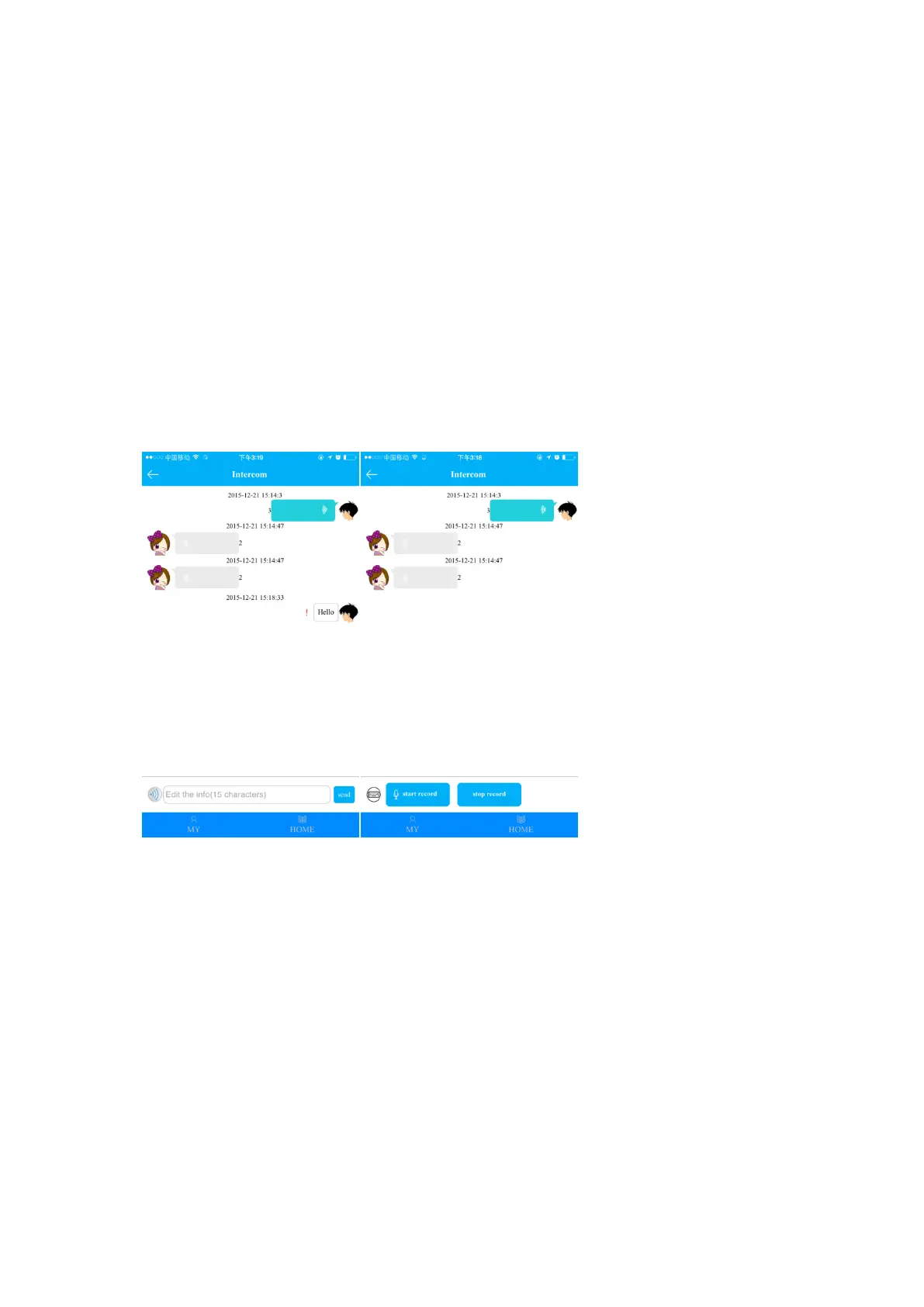
4.2.1. Intercom: two way voice message (max 15s) and one way text message (Max 15
Characters).
Voice message: Click “start record” to begin recording, click “stop record” to finish and
send the message to watch. The APP will receive notification for the voice message (The
time of receipt depends on the network conditions). Voice message received can be
played repeatedly.
Text message: Change the input method from voice to text. Click send after message is
generated.
The watch will receive notification for the voice message (The time of receipt depends on
the network conditions), click to play voice message.
Send voice message to APP: slide screen to enter “Talk” on watch, hold the button to
talk, release to send message to APP;
Send voice message to friend: slide screen to enter “Make friend” on watch, hold the
button to talk, release to send message to friend.
4.2.2. Map: real-time locating of the watch
Both watch location and APP cell phone location are displayed on map. Click ”Locate” to
perform the real-time locating for 3 minutes (interval time for location information
uploading:10s) . The watch will restore to the default work mode 3 min later.
The three locating mode are differentiated by colors: GPS mode (Red), LBS mode(Blue) ,
WIFI mode(Green).
4.2.3. Health


 To Next Page
 Loading...