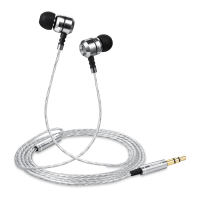
5. Silicon Earbud Sets: Different sizes for a comfortable and secure fit.
6. Memory Foam Earbud Sets: Additional options for personalized comfort.
3. Getting Started
Follow these steps to start using your earbuds:
1. Unbox your earbuds and inspect the contents to ensure everything is
included.
2. Choose the ear tips that best fit your ears. A proper fit is essential for sound
quality and comfort.
3. Plug the 3.5mm audio jack into your audio source, such as a smartphone,
tablet, or music player.
4. Wearing Your Earbuds
To ensure the best audio experience, follow these instructions:
1. Select the Right Ear Tips: Choose the ear tips that fit your ears snugly. They
should create a seal in your ear canal.
2. Insert the Earbuds: Gently insert the earbuds into your ears, making sure they
sit securely and comfortably.
3. Cable Position: Ensure that the cable rests comfortably behind your neck or
down your front. Avoid twisting or tangling the cable.
5. Audio Playback
Once you have your earbuds properly set up and positioned, you can start enjoying
your audio:
• Adjust the volume on your audio source to a comfortable level.
• Experiment with different ear tips to find the best fit for your ears.
• The 10mm Neodymium Magnet Dynamic Drivers provide HD bass-driven
audio for an immersive listening experience.
6. Changing Ear Tips
You can easily change the ear tips for a personalized fit:
1. Gently remove the existing ear tips by pulling them off the earbuds.
2. Choose the desired size (S/M/L) of silicon or memory foam ear tips.


 To Next Page
 Loading...