24
142 x 208 mm
The microwave function
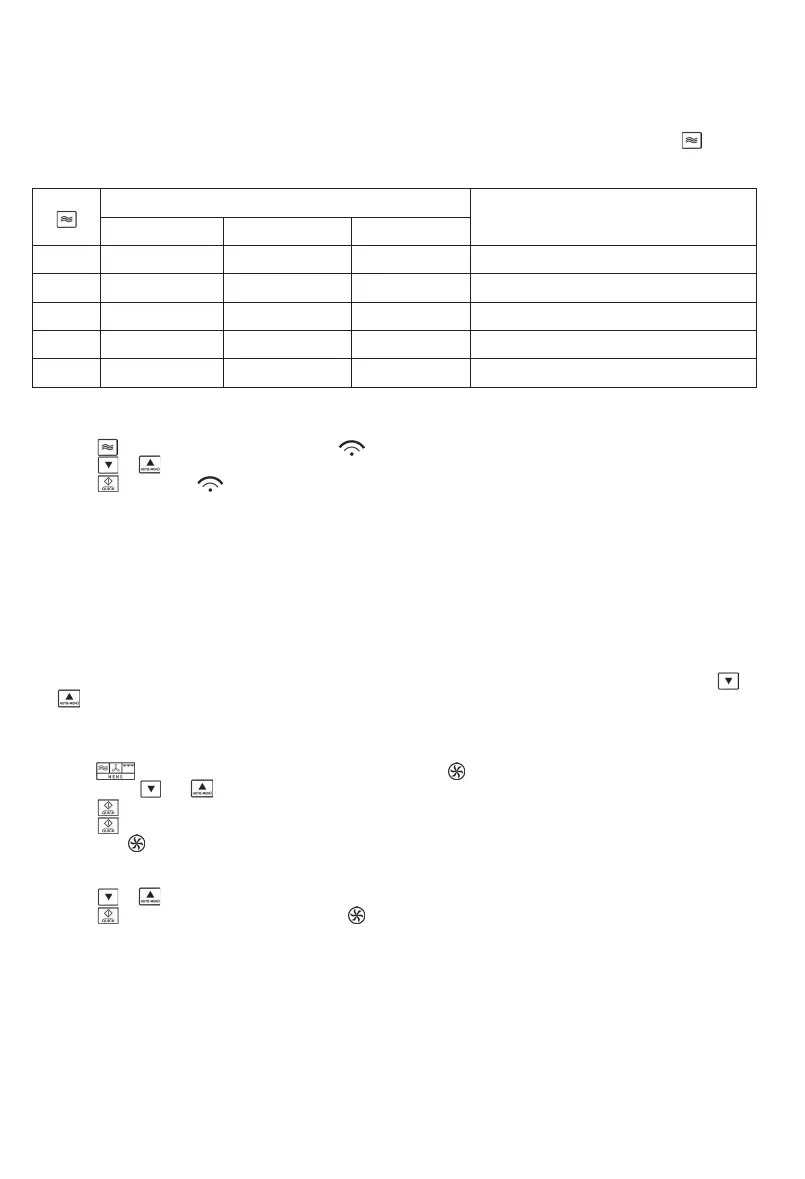
To programme the unit for cooking, the correct mode (microwave), the required power setting and the cooking time must be
selected, before the programme sequence can be started. The power setting is selected by repeatedly pressing . The
cooking time can be pre-set to a maximum of 95 minutes.
Power settings
Power (P) Display
Type
1 x 900 W P100 (100 %) High Heating up liquids, cooking
2 x 720 W P 80 (80 %) Medium high Defrosting and heating up deep-frozen dishes
3 x 450 W P 50 (50 %) Medium Cooking delicate food
4 x 270 W P 30 (30 %) Defrosting Defrosting
5 x 90 W P 10 (10 %) Low Defrosting delicate food
Example: To programme the microwave function for a cooking time of 5 minutes at 50% power.
1. Press
3 times. The display shows P 50 and .
2. Press or , until the display shows 5:00.
3. Press . The symbol starts ashing on the display.
Note: The following steps are used for setting the cooking time:
0 – 1 minute : 5-second steps
1 – 5 minutes : 10-second steps
5 – 10 minutes : 30-second steps
10 – 30 minutes : 1-minute steps
30 – 95 minutes : 5-minute steps
The hot-air function
With this function, hot air circulates inside the oven, achieving an even cooking and browning process. The pre-
programmable temperature range for this unit is between 140°C and 230°C. The temperature is set by using the keys
and . The cooking time can be pre-set to a maximum of 95 minutes.
If required, the appliance may also be pre-heated. Select the desired temperature level and press ‘Start’.
Example: The appliance is to be pre-heated to 200°C, followed by a cooking time of 30 minutes.
1. Press
. 140°C starts ashing on the display, and the symbol appears.
2. Use the keys and to set the temperature to 200°C.
3. Press to conrm the temperature setting.
4. Press to start the pre-heating process.
5. The symbol and the red indicator ‘200°C’ will ash while pre-heating is in progress. As soon as the pre-set temperature has
been reached, the red indicator ‘200°C’ stops ashing.
6. Open the door, place the food inside the oven compartment and close the door again.
7. Press or , until the display shows 30:00.
8. Press to start the cooking process. The symbol ashes on the display; during the heating process, the red indicator
‘200°C’.appears as well.
Note: Steps 4 and 5 can be omitted, if pre-heating is not required.
The grill function
The grilling process uses radiation heat to process the food. This programme is suitable for cooking ‚au gratin‘ or for grilling
thin pieces of meat.
Select the desired grilling time. The grilling time can be pre-set to a maximum of 95 minutes. The power setting of the grill
function cannot be changed. As the meat needs to be turned after one side is sufciently browned, and taken out once it is
done on both sides, this process should be closely monitored.


 To Next Page