20
∙ Close the door and set the desired programme.
∙ As the programme is started, the turntable starts to rotate. During operation, the interior light remains on.
∙ If, during operation, the door is opened or the key is pressed (e.g. to stir or to turn the food in order to ensure that the temperature
is evenly distributed), the timer and programme functions are automatically suspended. The programme will automatically resume only
after the door is closed again and the rotary control is pressed.
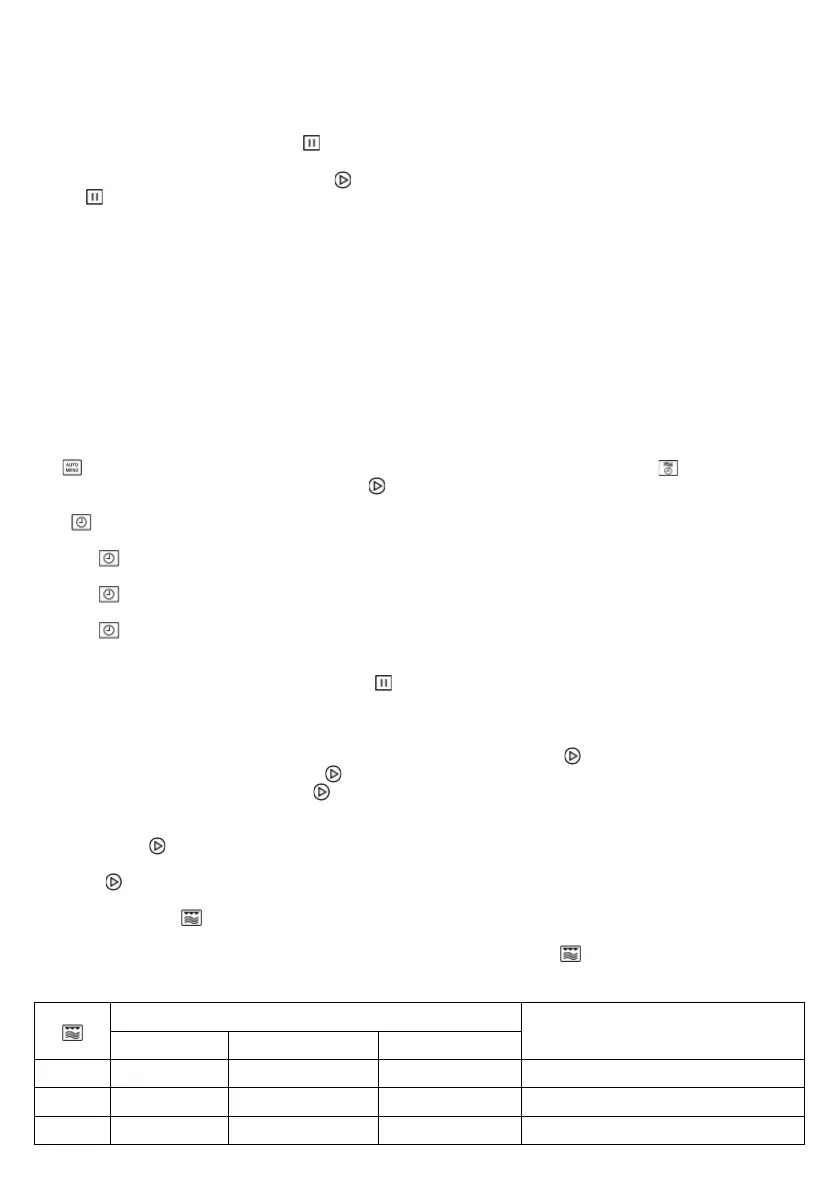
∙ Press
twice to interrupt the programme.
∙ A 5-beep signal indicates that the pre-programmed cooking time has elapsed; at the same time, the interior lighting switches off
and the display shows the current time.
∙ Open the door and remove the container with the food.
∙ In order to achieve an even heat distribution through the food, the container should be set aside for several minutes.
Note: The following steps are used for setting the cooking time:
0 – 1 minute : 5-second steps
2 – 5 minutes : 10-second steps
5 – 10 minutes : 30-second steps
10 – 30 minutes : 1-minute steps
30 – 95 minutes : 5-minute steps
Rotary control
The rotary control is recessed and released by pushing it in. Any automatic programmes are selected by turning the control to the
right . A cooking time with a microwave setting of 100 % can be selected by turning the control to the left . The selected
programmes are started by pressing the confi rmation key .
Clock :
Once the unit has been connected to the power supply, the display shows ‚0:00’ and an acoustic signal is heard.
1. Press twice. The hour digits start fl ashing in the display.
2. Turn the rotary control to set the correct hour value between 0 and 23 .
3. Press . The minute digits start fl ashing.
4. Turn the rotary control to set the correct minutes.
5. Press
to fi nish setting the time.
The symbol ‚: ‘ fl ashes and the correct time is shown.
The time setting process can be cancelled by pressing the
key.
The clock must be set when the appliance is connected for the fi rst time, and also if a power failure has reset the clock.
Quick-programming:
The most commonly used microwave time-settings can be called up simply by pressing the
key. With this function, the microwave
power setting is always 100%. Each press on the
key adds 30 seconds to the cooking time.
Note: the cooking process starts as soon as the
key is pressed.
Example: to programme the microwave function for a cooking time of 2 minutes at 100% power.
Press the key 4 times. The display shows 2:00 and the microwave operation starts.
By pressing , the running times can be increased in 30-second-steps even if a programme has already started.
The microwave function :
To programme the unit for cooking, the correct mode (microwave), the required power setting and the cooking time must be selected, before
the programme sequence can be started. The power setting is selected by repeatedly pressing . The cooking time can be pre-set to a
maximum of 95 minutes.
Power settings
Power (P) Display Type
1 x 800 W P100 High Rapid heating
2 x 640 W P80 High Cooking
3 x 400 W P50 Medium Simmering


 To Next Page
 Loading...