7
performed.
∙ The scales can store the data for up to 10
persons.
∙ Use the key to switch the scales on
and, while the display is still fl ashing,
select the desired person (0-9). Press the
key to access the body data.
∙ The gender information fl ashes on the
display and can be selected with the
arrow keys. Press the
key to confi rm
the input.
∙ The body height information fl ashes and
can be selected with the arrow keys.
Press the key to confi rm the input.
∙ The age information fl ashes and can be
selected with the arrow keys. Press the
key to confi rm the input.
Measuring the level of body fat
∙ Use the key to switch the scales on
and, while the display is still fl ashing,
select the desired person (0-9) and wait a
moment.
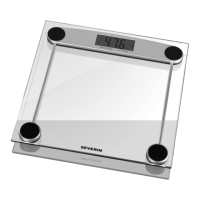
∙ As soon as the display shows 0.0, step
barefoot onto the scales. Ensure that
your feet are parallel and refrain from
moving. Each foot must touch one of the
two metal contacts.
∙ Once the weight information is fl ashing on
the display, the symbol appears,
indicating that the body fat measuring
is in progress. Do not step off while the
process continues.
∙ When measuring is complete, the
following data will be shown in sequential
order:
∙ weight
∙ level of body fat
∙ water content
∙ muscle content
∙ bone mass
∙ basic metabolic rate
∙ BMI (body mass index)
∙ If the measuring is incorrect, the indicator
‘Err2’ appears. If this occurs, repeat the
measuring process.
∙ Information on the evaluation of the data
shown is available in the public media
(internet etc).
Measuring the weight
∙ For simple weight measuring, it is not
necessary to switch on the scales via the
key.
∙ Step onto the scales with your feet
parallel. Remain standing without moving.
The display will fl ash twice to indicate that
the correct weight is displayed.
∙ If the weight has been measured with
bare feet, certain body fat data will
also be displayed after the weight
information, but this may not be correct.
For measuring it correctly, follow the
instructions in the section Measuring the
level of body fat.
∙ The unit will switch off automatically after
a few seconds.
Batteries
∙ If the ‘Lo’ symbol appears on the display,
the batteries must be replaced.
∙ To insert or replace the batteries, open
the compartment underneath the unit.
When replacing the batteries, always
observe the correct polarity. The symbol
(+) must face upwards. Ensure that the
batteries are properly seated.
∙ Use only 3V lithium button-cell batteries
type CR2032.
∙ During extended periods of non-use,
always remove the batteries from their
compartment.


 To Next Page
 Loading...