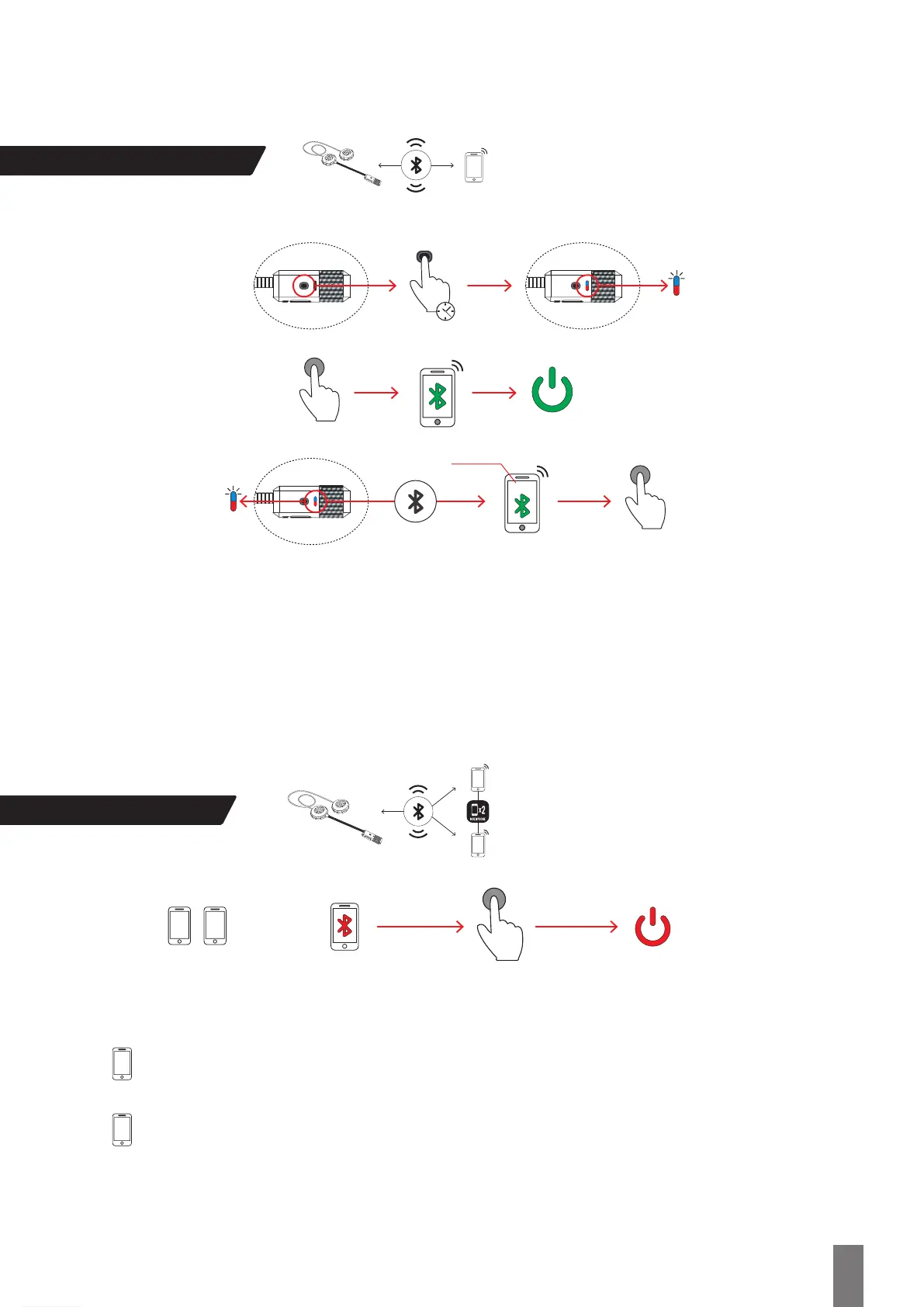
Linking/Pairing
Multiphone
1
1 2
To make connexion easier, please make sure that Bluetooth® is off in both devices.
Once mobile 2 is paired, you can turn on Bluetooth® on mobile 1.
Pair mobile 1 with Shad HANDSFREE (follow steps on Linking / Paring section).
Turn off Bluetooth® on mobile 1 and the Shad HANDSFREE device.
2
Now pair mobile 2 to the same Shad HANDSFREE device (follow steps on Linking / Paring section).
To use the Shad HANDSFREE , it’s necessary to pair it to the Bluetooth® device you wish to connect it to (mobile phone, GPS
navigator). While the device is switched off, hold the control button (1b) until the LED indicator (1a) begins flashing in Red and Blue. The
mobile phone or GPS navigator will find the device under the name Shad UC02/ UC03 . Select the device and, if necessary, enter the access code: 0000.
NOTE: Pairing is a process that only needs to be completed once. When the Shad UC02 / UC03 is paired to a specific device,
both devices will connect automatically when switched off and on.
NOTE: Depending on your phone’s Operating System software version, there is a possibility that during the phone’s Bluetooth® device
search you have to turn off the phone’s Bluetooth® functionality and turn on again after 2 or 3 seconds so that the Shad device is
found properly. This is normal and it should only happen during the first pairing with that phone.
6“
Shad UC02 / UC03
Shad UC02/ UC03
1
2
3


 To Next Page