5
5
5
4
2
3
4
5
6
7
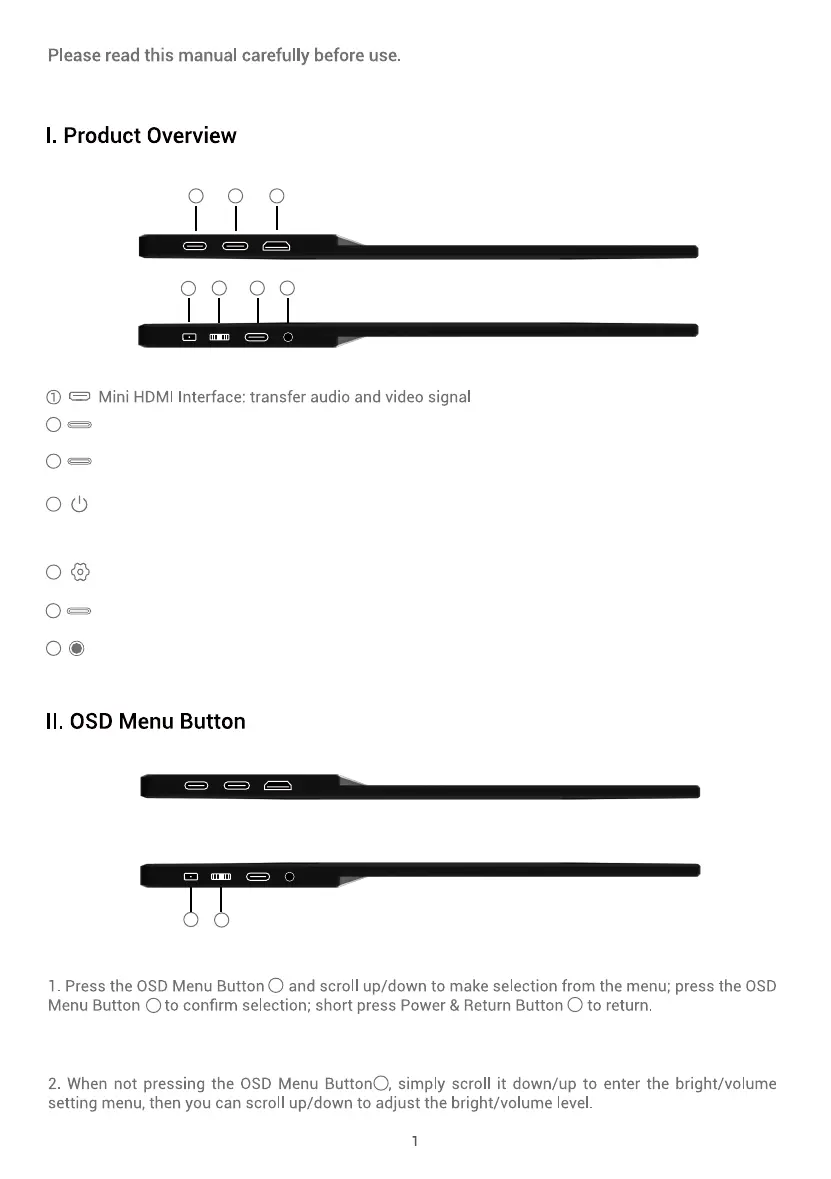
Power/return/signal switch/image rotation button: Long press the button to turn on/off the display,
short press the button to return; when an iPhone or Android phone is connected, short press to
rotate the image.
USB-C Interface: audio and video signal support, touchscreen
Power interface: External power input interface, compatible with PD2.0 power protocol, support
5V/9V/12V/15V/19V/20V input.
OSD Menu Button: control or cofirm selection
Used for external iPhone or Android phone audio or video signal transmission。
3.5mm Audio Jack: for headphone/speaker
4
5 6 7
12 3
4
5
when an iPhone
or Android phone is connected, short press to rotate the image.



 To Next Page