Mako
Mako
Mako
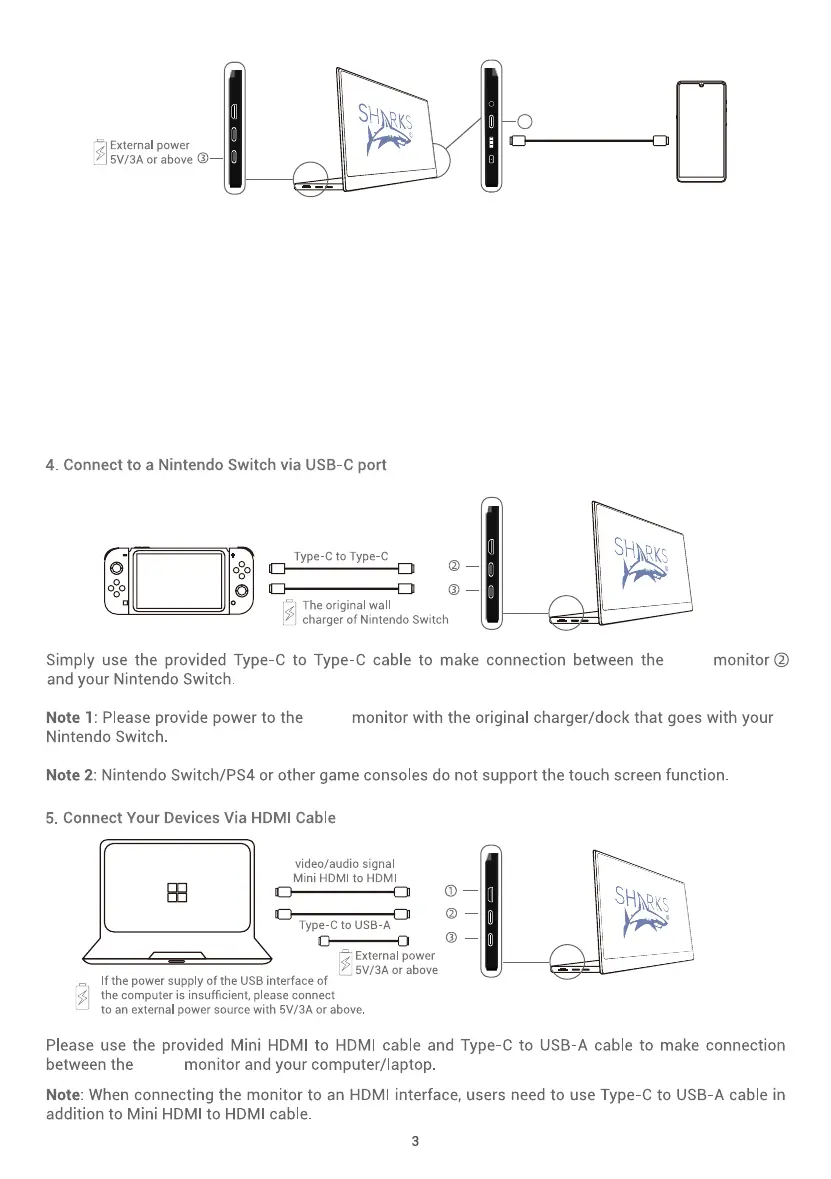
The display supports a USB cable to connect to an iPhone or Android phone, allowing you to expand the
phone's content on the display.
Please plug in the power first, and then connect to the Mako display through the mobile phone data cable.
The USB-C to USB-A adapter we are equipped with that can be used as a non-USB-C data cable to connect
to the Mako display.
When connecting iPhone or iPad, "Trust/Untrust" will pop up, please click "Trust"。After waiting for 10-15
seconds, the Mako display will display the phone screen.Short press 4 to rotate the image.
When connecting to an Android phone for the first time, please follow the pop-up connection instructions,
follow the instructions, or scan the QR code to download the APP and connect to the phone
6
Type-C to Phone



 To Next Page