EasyManua.ls Logo

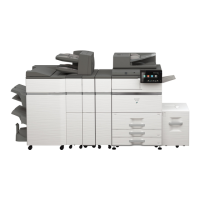
Sharp BP-70C31 - User Manual

Sharp BP-70C31
45 pages
Print Icon
To Next Page IconTo Next Page
Loading...
Quick Start Guide
DIGITAL FULL COLOUR MULTIFUNCTIONAL SYSTEMDIGITAL FULL COLOUR MULTIFUNCTIONAL SYSTEMDIGITAL FULL COLOUR MULTIFUNCTIONAL SYSTEM
Quick Start Guide
MODEL:
BP-50C26
BP-50C31
BP-50C36
BP-50C45
BP-50C55
BP-50C65
BP-55C26
BP-60C31
BP-60C36
BP-60C45
BP-70C31
BP-70C36
BP-70C45
BP-70C55
BP-70C65
BP-50C26
BP-50C31
BP-50C36
BP-50C45
BP-50C55
BP-50C65
BP-55C26
BP-60C31
BP-60C36
BP-60C45
BP-70C31
BP-70C36
BP-70C45
BP-70C55
BP-70C65
MODEL:
BEFORE USING THE MACHINE
Functions of the machine and procedures
for placing originals and loading paper
COPIER
Using the copy function
PRINTER
Using the printer function
FACSIMILE
Using the fax function
SCANNER
Using the scan function
DOCUMENT FILING
Storing jobs as files on the local
drive
SETTING MODE
Configuring settings to make the
machine easier to use
Question and Answer IconNeed help?

Do you have a question about the Sharp BP-70C31 and is the answer not in the manual?

Summary

Quick Start Guide

Before Using the Machine

Covers initial setup, part identification, power, and basic operations.

Copier

Explains how to use the copier function, including making copies and special paper.

Printer

Covers printing procedures for Windows and macOS environments and USB printing.

Facsimile

Explains the basic procedures for using the fax function.

Scanner

Covers network scanner functions and scanning procedures.

Document Filing

Explains storing and retrieving documents, including saving to USB.

Setting Mode

Covers machine settings, configuration, and administrator functions.

Summary

Quick Start Guide

Before Using the Machine

Covers initial setup, part identification, power, and basic operations.

Copier

Explains how to use the copier function, including making copies and special paper.

Printer

Covers printing procedures for Windows and macOS environments and USB printing.

Facsimile

Explains the basic procedures for using the fax function.

Scanner

Covers network scanner functions and scanning procedures.

Document Filing

Explains storing and retrieving documents, including saving to USB.

Setting Mode

Covers machine settings, configuration, and administrator functions.

Sharp BP-70C31 Specifications

General IconGeneral
BrandSharp
ModelBP-70C31
CategoryPrinter
LanguageEnglish

Related product manuals