EasyManua.ls Logo

Sharp CE-122 - Page 8

Sharp CE-122
32 pages
Print Icon
To Next Page IconTo Next Page
To Previous Page IconTo Previous Page
Loading...
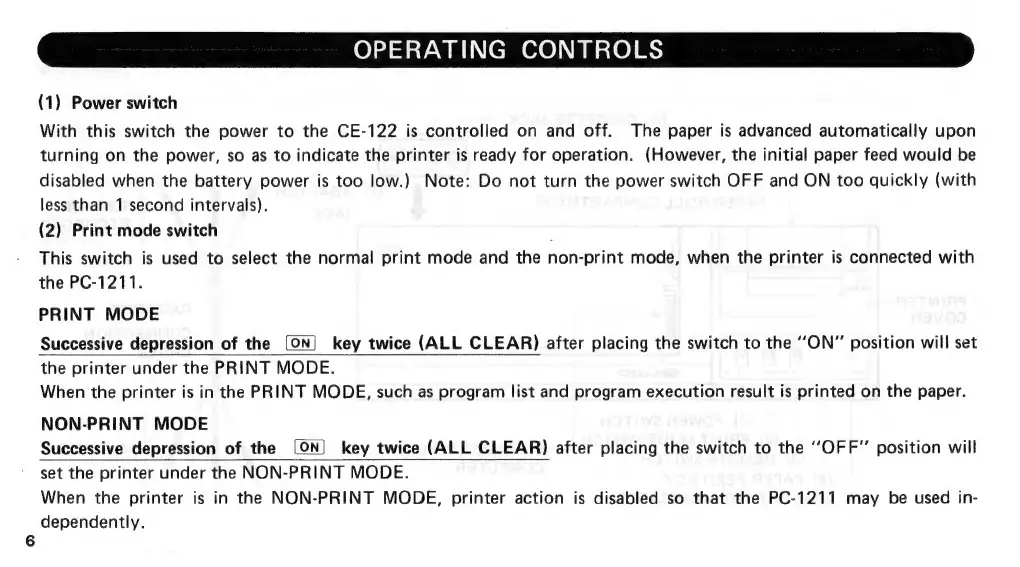
OPERATING
CONTROLS
(1)
Power
switch
With
this
switch
the
power
to
the
CE-122
is
controlled
on
and
off.
The
paper
is
advanced
automatically
upon
turning
on
the
power,
so
as
to
indicate
the
printer
is
ready
for
operation.
(However,
the
initial
paper
feed
would
be
disabled
when
the
battery
power
is
too
low.)
Note:
Do
not
turn
the
power
switch
OFF
and
ON
too
quickly
(with
less
than
1
second
intervals).
(2)
Print
mode
switch
This
switch
is
used
to
select
the
normal
print
mode
and
the
non-print
mode,
when
the
printer
is
connected
with
the
PC-1211.
PRINT
MODE
Successive
depression
of
the
(ON)
key
twice
(ALL
CLEAR)
after
placing
the
switch
to
the
“ON”
position
will
set
the
printer
under
the
PRINT
MODE.
When
the
printer
is
in
the
PRINT
MODE,
such
as
program
list
and
program
execution
result
is
printed
on
the
paper.
NON-PRINT
MODE
Successive
depression
of
the
(ON)
key
twice
(ALL
CLEAR)
after
placing
the
switch
to
the
‘‘OFF”’
position
will
set
the
printer
under
the
NON-PRINT
MODE.
When
the
printer
is
in
the
NON-PRINT
MODE,
printer
action
is
disabled
so
that
the
PC-1211
may
be
used
in-
dependently.

Related product manuals