Step & Key Operation
*Use either pen touch or cursor to operate.
Display
Notes
EL-9650/9600c Graphing Calculator
*
(repeatedly)
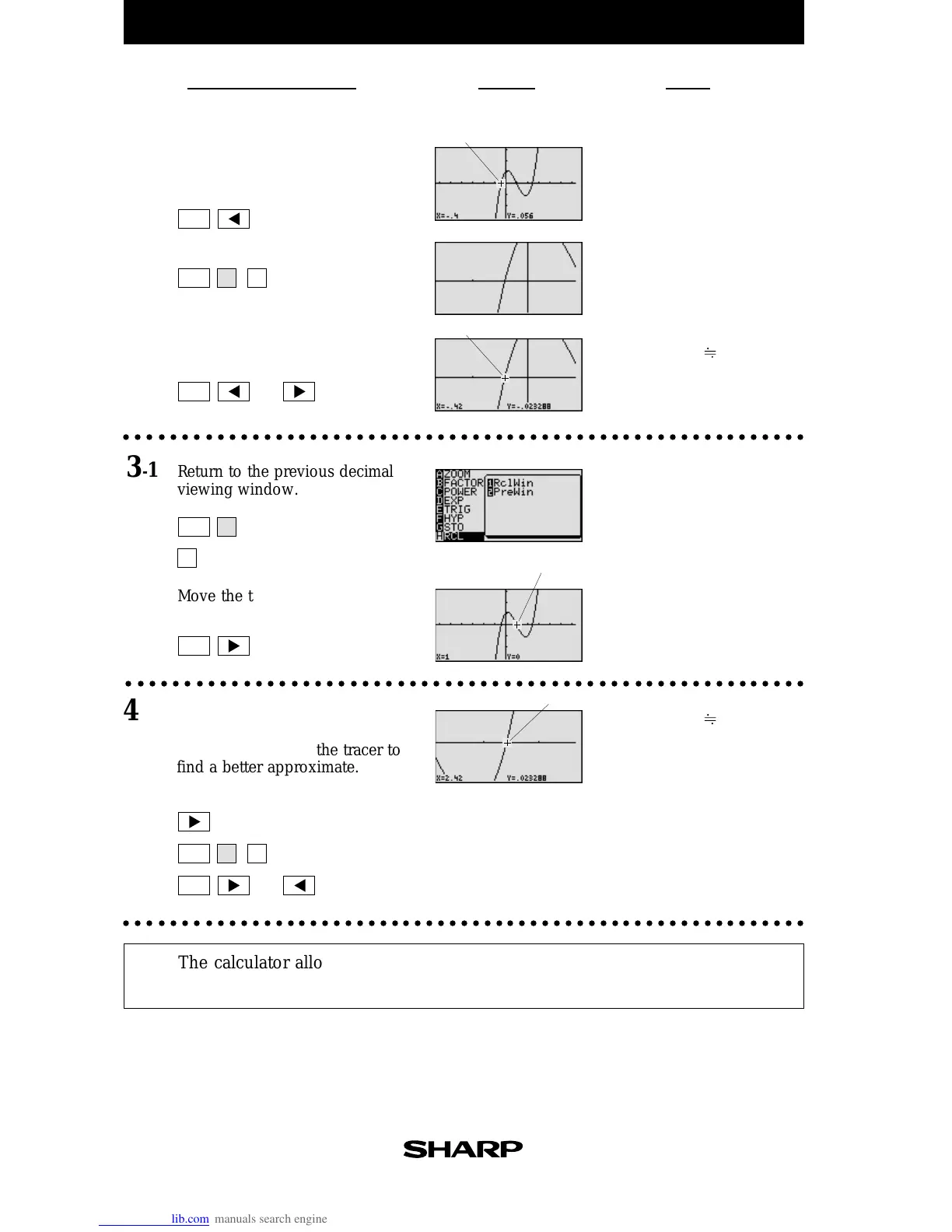
Note that the tracer is flashing
on the curve and the x and y
coordinates are shown at the
bottom of the screen.
The root is exactly x = 1.
(Zooming is not needed to
find a better approximate.)
Move the tracer near the left-hand
root.
2-1
Zoom in on the left-hand root.
2-2
Move the tracer to approximate the
root.
2-3
○○○○○○○○○○○○○○○○○○○○○○○○○○○○○○○○○○○○○○○○○○○○○○○○○○○○○○○○○○
Return to the previous decimal
viewing window.
3-1
Move the tracer to approximate
the middle root.
3-2
○○○○○○○○○○○○○○○○○○○○○○○○○○○○○○○○○○○○○○○○○○○○○○○○○○○○○○○○○○○
Move the tracer near the right-
hand root.
Zoom in and move the tracer to
find a better approximate.
4
The calculator allows the roots to be found (or approximated) visually by
graphing a polynomial and using the Zoom-in and Trace features.
Tracer
Tracer
Tracer
*
(repeatedly)
*
*
*
or
*
(repeatedly)
*
*
*
(repeatedly)
*
*
*
or
*
(repeatedly)
○○○○○○○○○○○○○○○○○○○○○○○○○○○○○○○○○○○○○○○○○○○○○○○○○○○○○○○○○○○
4-1
The root is : x -0.42
The root is : x
2.42
Tracer
ZOOM
TRACE
ZOOM
ZOOM
TRACE
TRACE
TRACE
A3
2
A3
H



 To Next Page