80
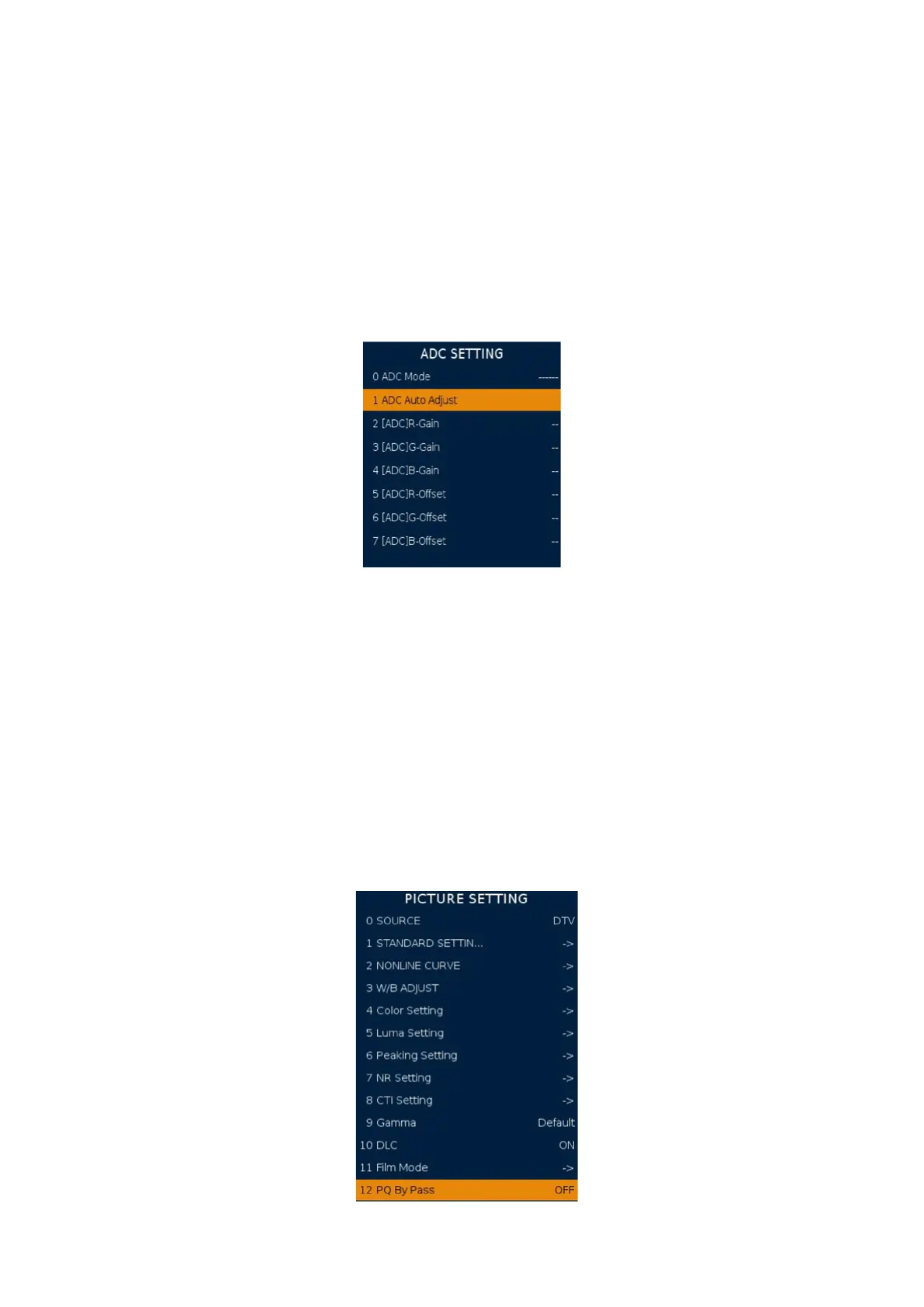
2 ADC SETTING
It’s for adjusting the YPBPR and PC color. Press key “right” or “ok” to enter the subpage.
ADC Mode: Display current input source and resolution.
ADC Auto Adjust: Start to auto color to get ADC value.
[ADC]R-Gain: Display current ADC R value.
[ADC]R-Oset: Display current ADC R oset value.
[ADC]G-Gain: Display current ADC G value.
[ADC]G-Oset: Display current ADC G oset value.
[ADC]B-Gain: Display current ADC B value.
[ADC]B-Oset: Display current ADC B oset value
3 PICTURE
SOURCE: Current input source. (use for change source)
STANDARD SETTING: Standard analog quality setting (Like contrast ...etc) for dierent
Picture mode. It will change OSD picture menu’s standard picture mode setting.
NONLINE CURVE: The nonlinear curve for picture mode. To set OSD quality setting (like
contrast. brightness ...etc) the value 0,25,50.75.100 corresponding actual nonline curve value.
W/B ADJUST: Standard white balance setting. Select warm / cold / normal mode and
set its RGB value to change OSD picture menu’s white balance standard value. R-Gain
increase red colour, G-Gain increase green colour, B-Gain increase blue colour.
Color Setting, Luma Setting, Peaking Setting, NR Setting, CTI Setting, Gamma, DLC, Film
Mode, PQ By Pass: Change these setting will change register for PQ.
Suggest do not change these setting.
Picture 1 ADC Setting
Picture 2 Picture Setting






 To Next Page