Page - 13 -
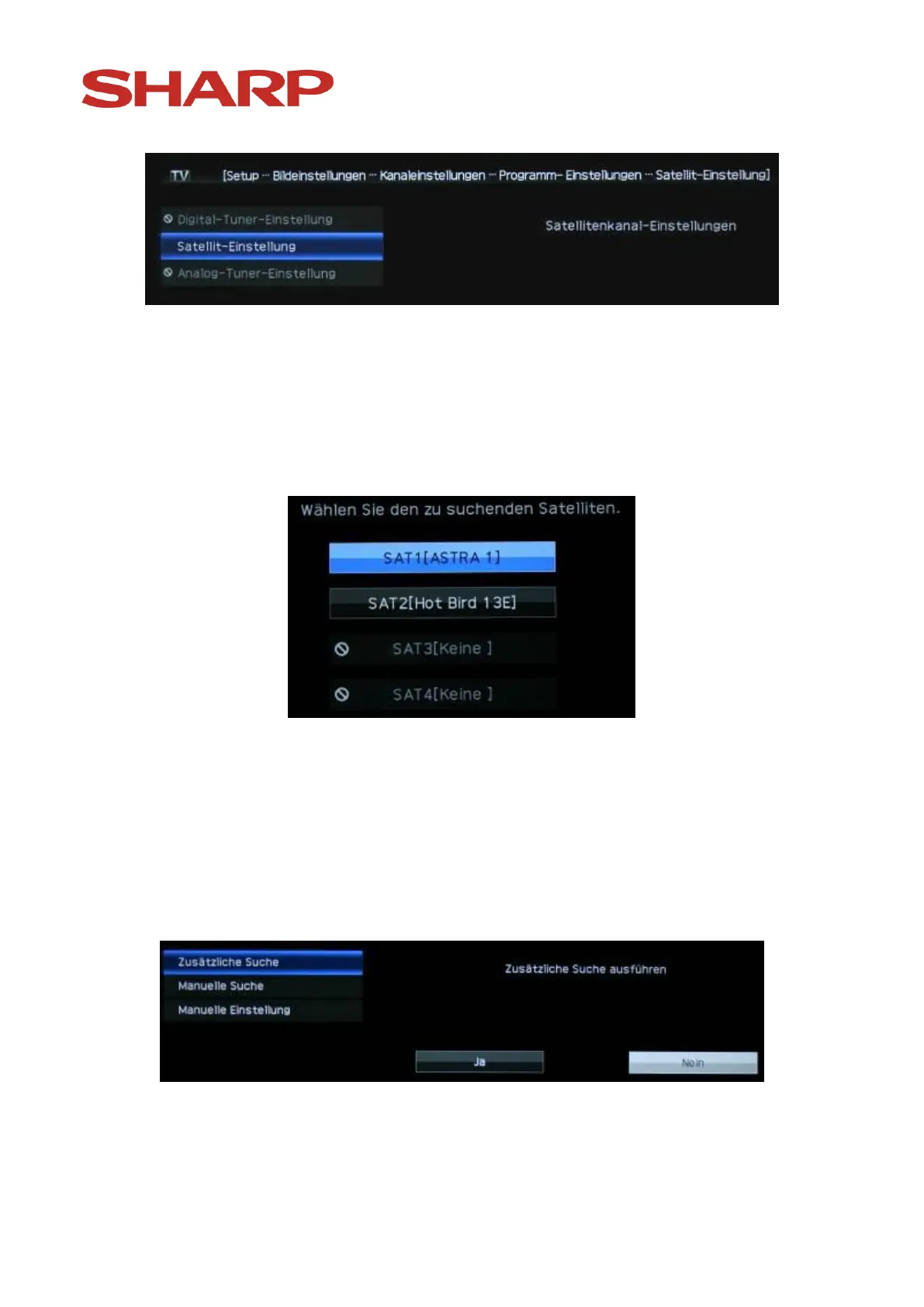
Confirm „Satellite settings“ with the „OK“ button.
In case in the original search settings 2 or more satellites are selected, you will
see the following image:
Choose the satellites, whose channel lists you would like to process and
confirm your choice by pressing the „OK“ -button on the remote control.
If in the search settings only one satellite is selected, this choice will be
skipped and shortly the following image will appear:


 To Next Page