Page - 15 -
! Don't use the function key "Delete"- yellow button in the on-screen
menu - in order to delete channels, before you sort all channels, as other
channels will also be deleted. This would mean that you would have to
spend a lot of time allocating other channels. These channels would not
appear on the list of stored channels any more. This leads to a situation in
which some channels from the normal sequence are missing (e.g. 1, 2, 3, 5,
9…., e.g. the programs 4, 7, 8 would be missing).
It is best to remove unwanted channels by moving from the list in a
manner described below.
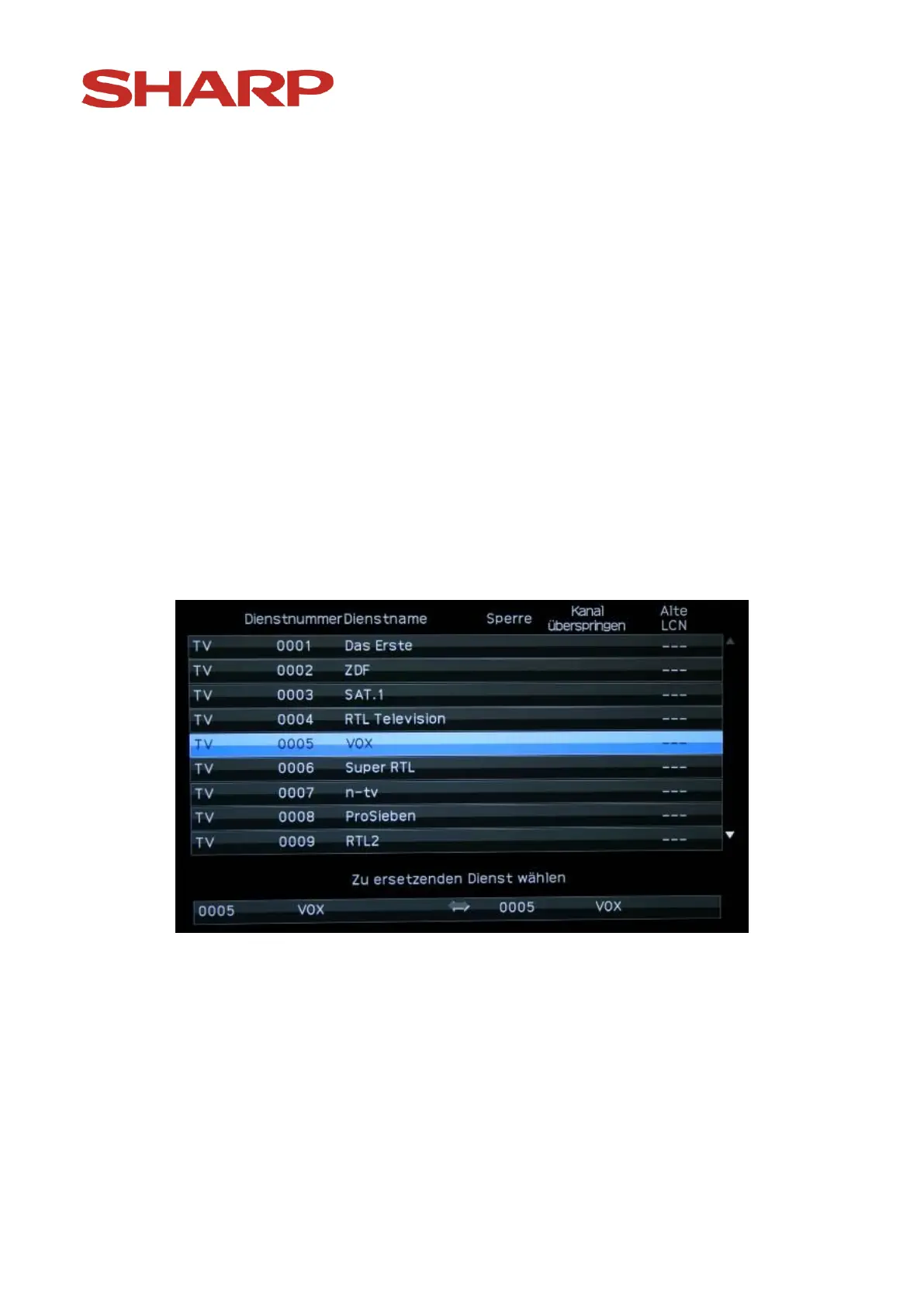
Using arrow keys choose the channel which is supposed to be moved. With
the „B“ (blue) button you can mark the channel (e.g. VOX). The following
image appears:
Using arrow keys on the remote control choose the new position:
You can also look through the list of channels going 10 channels back or
forth at a time, by using the arrow key "Left" and "Right" on the
navigation panel of the remote control.


 To Next Page