MX-M232D (MX-PK10 PS3 EXPANSION KIT) 10 - 1
[10]MX-PK10 PS3 EXPANSION KIT
1. Unpacking
<Parts included>
2. Installation
For installing of the MX-PK10, install the network expansion kit (MX-
NB12) in advance.
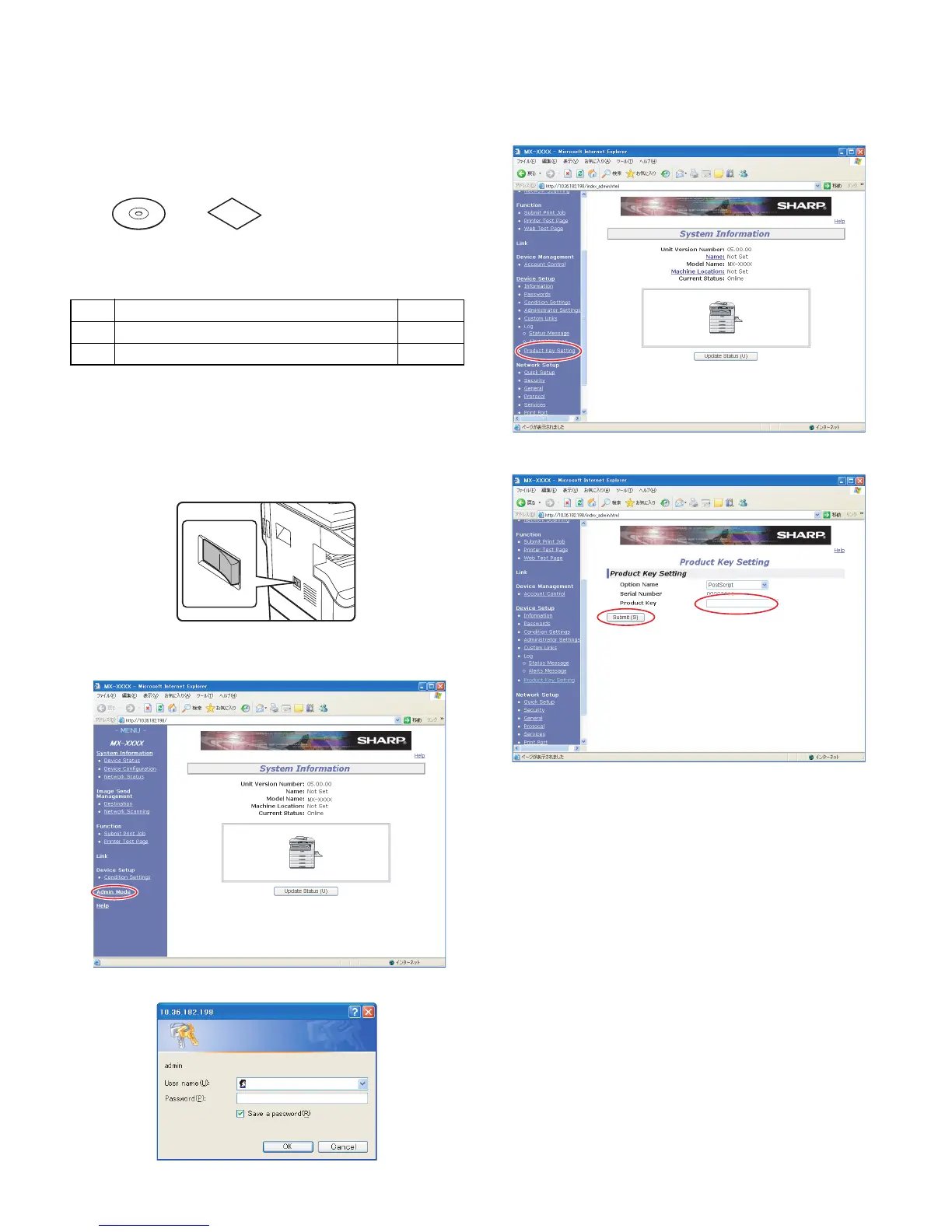
A. Turn on the main power switch of the main unit.
B. Entering the product key
1. Visit the web page, click the "Admin mode".
2. Enter the user name and the password.
3. Click the "Product Key Setting".
4. Enter the product key, and click the "Submit (S)".
No. Packed part names Quantity
1 CD-ROM 1
2 Product key sheet (With Application Number) 1
12



 To Next Page