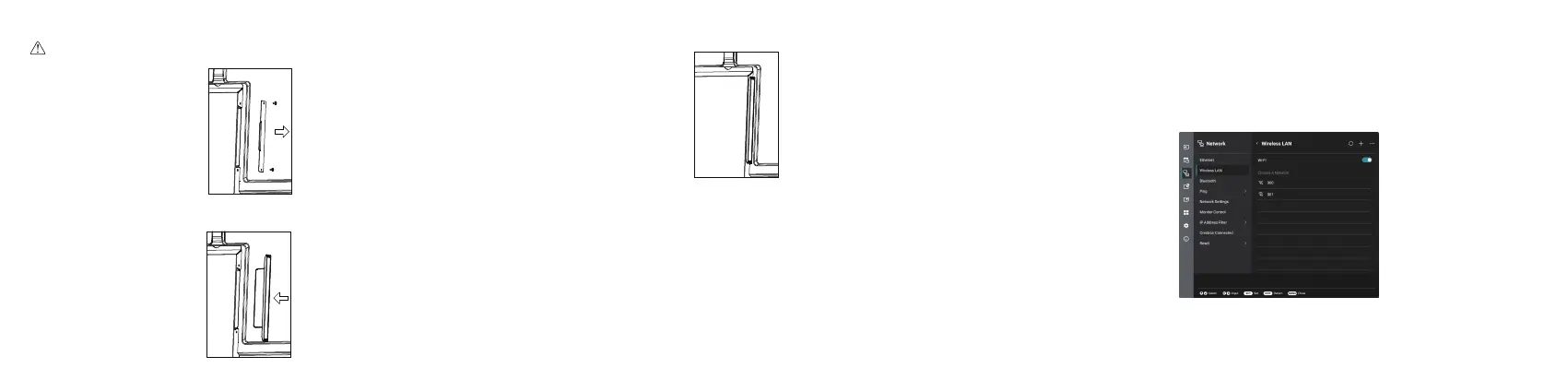
◆ Installation Procedure
Warning: Please make sure the power cord of the Interactive Large Format Display (LFD) is disconnected
before installation.
1) Take off the Cover.
2) Insert the WiFi module fully into the LFD along the direction of the arrow.
3) Complete assembly.
Note: This WiFi module only works for the LFD by plugging it into the above slot.
◆ Function
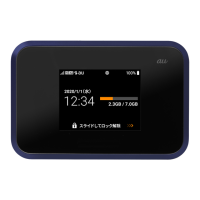
After completing the installation, turn on the LFD, and the WiFi module will run automatically.
1)Click "Settings" on the screen.
2)Click "Network" and "Wireless LAN", you can turn on/off the Wi-Fi.
Back view


 To Previous Page