PN-K321/K322B SERVICE MENU/VARIOUS SETTING TOOL OPERATING PROCEDURES 4 - 11
6. INSTRUCTIONS FOR LAUNCHER TOOL
■ TOOL OPERATING ENVIRONMENT
・ Windows XP
・ Windows Vista
・ Windows 7
(MEMO)
・ Log in with the administrator’s right.
・ Only the 32bit OS’s are supported.
■ INSTALLATION PROCEDURES
1 ) All tools are provided in a zip file. Extract a zip file to the drive ( C:¥).
(CAUTION)
-When a space is included in the folder pass, it may not run properly.
2 ) Where it doesn’t have “Microsoft Visual C++ 2005 Runtime Library” installed, execute “vcredist_x86.exe” to install the library.
(MEMO)
・When the message: “Command line option syntax error, Type Command /? for Help.” is displayed, the user name may contain some
2-byte characters (Japanese). Log in with the user name of 1-byte characters (English) having administrative right, and install it.
If there is no user name created, newly create a user name through the User Account in the Control Panel.
3 ) Before using the tool, execute CGProbe Redistributable 5.7.0.1.exe and execute the library. If it has been already installed, this step is
not necessary.
4 ) Use it in the environment which installed 3.5 or more .Net Frame work.
■ Confirmation of the service tool version
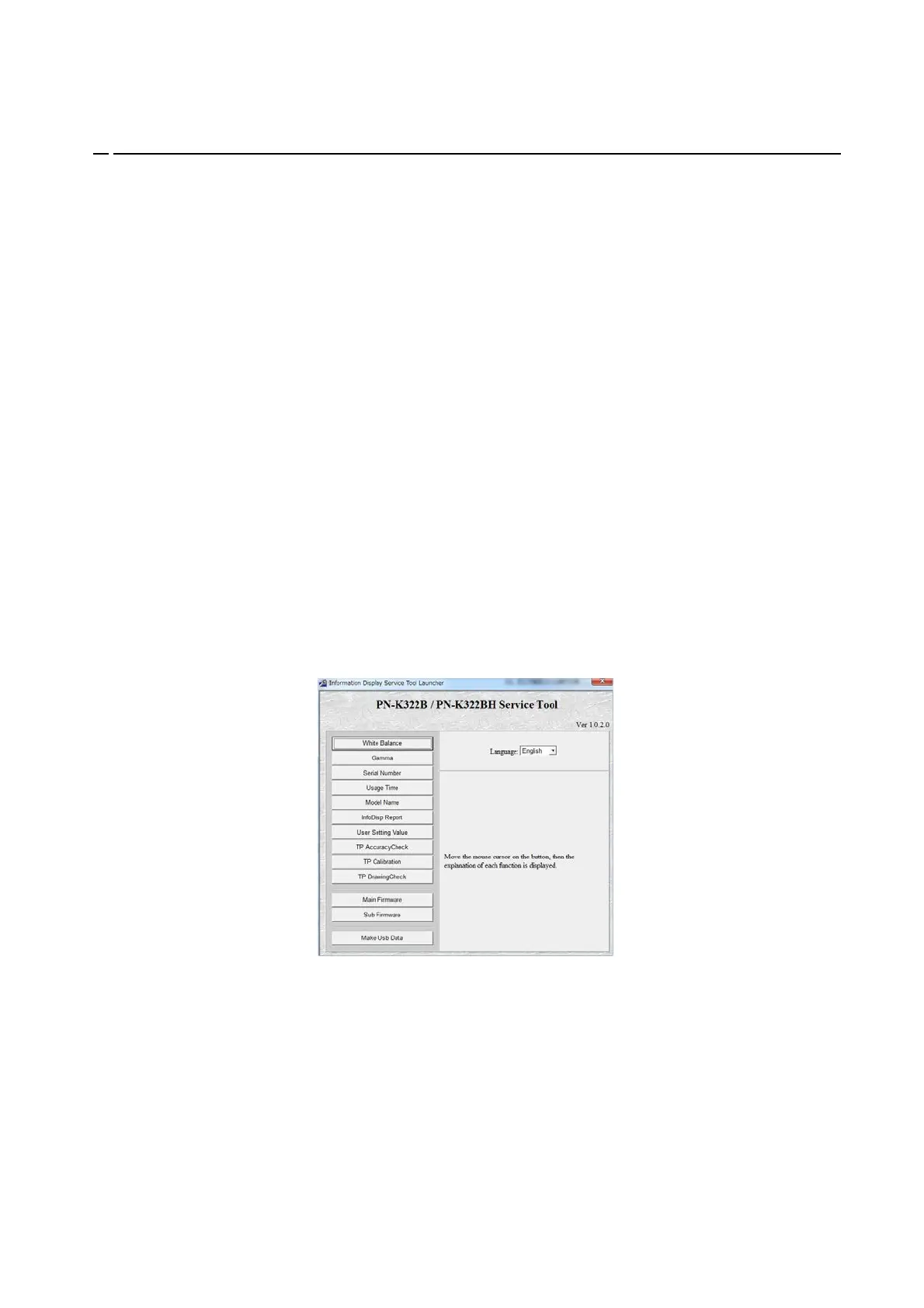
1 ) Boot the launcher tool, and check the service tool version which is displayed at the right upper side of the screen.


 To Next Page