38 | Page
• There will be two END commands to terminate the
program. This is useful if a second program independent of
the first is loaded or when listing RAM (PRO mode)
contents.
• Ensure you are not it CAP mode. Check your input in PRO
mode by pressing CA key. This will position the cursor on
line 00; Use the cursor to advance through each statement
confirming its correctness. Correct with DEL and INS keys to
delete or insert a blank for use for another statement.
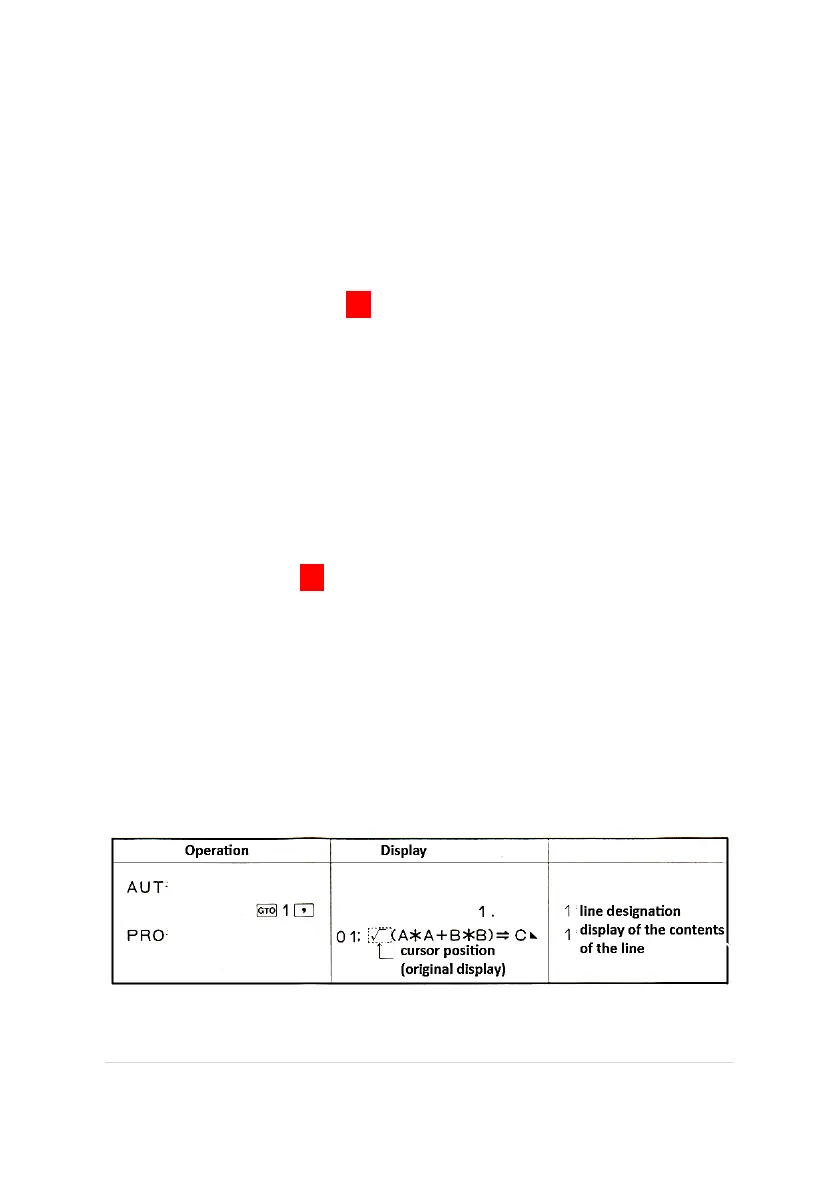
• In AUT mode you can use the GTO key followed by a line
number. Switching to PRO mode will now be positioned at
the requested line number.
TO EXECUTE A PROGRAM
1. In AUT press CA
2. Press to start execution of program.
a. The execution stops at a HLT (halt) command.
b. This is the opportunity to enter a variable (data).
c. Press to continue program.
3. The program is terminated by the END command.
Example of GTO command in AUT mode to direct the desired line
number to appear in PRO mode.



 To Next Page