17
OTHER CONVENIENT FUNCTIONS
ENGLISH
2. LESS / MORE keys.
The LESS ( ▼ ) and MORE ( ▲ ) keys allow you to easily decrease or increase programmed setting times,
(for a less well or more well cooked result), used for AUTOMATIC operations or when cooking is underway.
a) Changing the pre-programmed time setting.
Example:
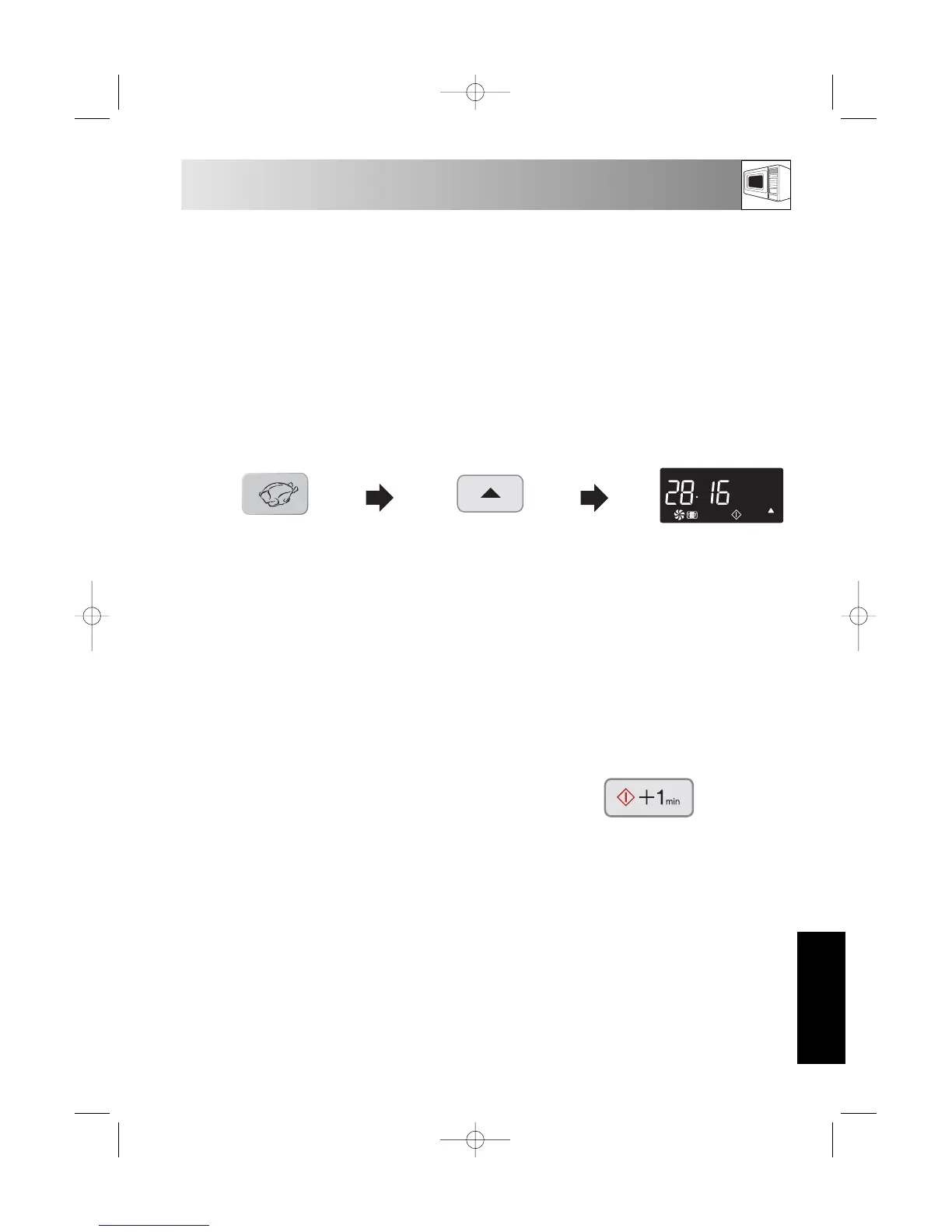
Suppose you want to cook 0,9 kg Roast chicken using the AUTOMATIC and MORE ( ▲ ) keys.
NOTES:
To cancel LESS or MORE press the same key again.
To change MORE to LESS simply press the LESS ( ▼ ) key.
To change LESS to MORE simply press the MORE ( ▲ ) key.
b) Changing the heating time while the oven is operating:-
The cooking time can be decreased or increased in 1 minute steps each time the LESS ( ▼ ) and
MORE ( ▲ ) keys are pressed.
2. Choose the desired result
(well cooked) by pressing
the MORE key once within
2 seconds.
1. Choose the AUTOMATIC
menu for Roast chicken
by pressing the
AUTOMATIC key once.
3. The oven will start to
cook automatically.
x1
x1
3. +1 min function
The +1min function allows you to operate the following functions:
a) Direct Start
You can start to cook directly on full microwave power (900 W) and in 1 minute steps by pressing the
START/+1min key.
NOTE: To avoid children’s misuse, the START/+1min key can be used only within 2 minutes after a
preceding operation, i.e., closing the door or pressing the STOP key.
b) Extending the cooking time.
You can extend the cooking time in multiples of 1 minute, by pressing the START/+1min key, during
the cooking process.
x1


 To Next Page