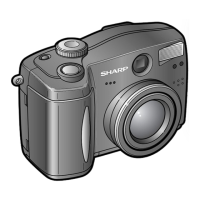
VE-CG30U
VE-CG40U
11
5-1-3. TEST 2: User mode settings
When finishing the service works, the camera must be set USER MODE again.
In order to set the camera back to USER MODE, execute TEST 2 as below.
Select the TEST 2 and press the SET key.
TEST MODE
BOOT VER xxxxx
IPL VER xxxxx
MAIN VER xxxxx
SUB VER xxxxx
USB SNUM xxxxxxxx
2 SET SHIPPING
ENTER : START
DEL : RETURN
2 SET SHIPPING
TEST MODE 2 screen After settng
[Operation]
· Press the SET key start to [User Mode settings].
· When completed, the screen below appears.
00XX
00XX
0000
0000
0000
COMPLETE
DEL RETURN
2 SET SHIPPING
· Press the power key to end the test mode.
5-1-4. TEST 3: White balance low color temp.
adjustment
Select the TEST 3 and press the SET key.
TEST 3,4,5,7,9,A and D are test modes for camera adjustment. See "5-2 Adjustment method" for detailed test
environment.
ENTER : START
DEL : RETURN
3 WB LOW TEMP
TEST MODE
BOOT VER xxxxx
IPL VER xxxxx
MAIN VER xxxxx
SUB VER xxxxx
USB SNUM xxxxxxxx
3 WB LOW TEMP
TEST MODE 3 screen After settng
[Operation]
· Press the SET key to start adjustment.
· When completed, the screen below appears.
00XX
00XX
0000
0000
0000
COMPLETE
DEL RETURN
3 WB LOW TEMP
· To select another test mode:
Press the DELETE key to return to the TEST MODE
initial screen.
· To end the test mode:
Press the POWER key to turn off the camera.
5-1-5. TEST 4: White balance high color temp.
adjustment
Select the TEST 4 and press the SET key.
ENTER : START
DEL : RETURN
4 WB HIGH TEMP
TEST MODE 4 screen After settng
[Operation]
· Press the SET key to start adjustment.
· When completed, the screen below appears.
00XX
00XX
0000
0000
0000
COMPLETE
DEL RETURN
4 WB HIGH TEMP
· To select another test mode:
Press the DELETE key to return to the TEST MODE
initial screen.
· To end the test mode:
Press the POWER key to turn off the camera.
TEST MODE
BOOT VER xxxxx
IPL VER xxxxx
MAIN VER xxxxx
SUB VER xxxxx
USB SNUM xxxxxxxx
4 WB HIGH TEMP
5-1-6. TEST 5: CCD pixel defect correction.
adjustment
Select the TEST 5 and press the SET key.
ENTER : START
DEL : RETURN
5 DEFECT WHT BLK
TEST MODE 5 screen After settng
[Operation]
· Press the SET key to start adjustment.
· When completed, the screen below appears.
· To select another test mode:
Press the DELETE key to return to the TEST MODE
initial screen.
· To end the test mode:
Press the POWER key to turn off the camera.
TEST MODE
BOOT VER xxxxx
IPL VER xxxxx
MAIN VER xxxxx
SUB VER xxxxx
USB SNUM xxxxxxxx
5 DEFECT WHT BLK
0XXX
0XXX
0XXX
0XXX
0XXX
COMPLETE
DEL RETURN
5 DEFECT WHT BLK


 To Next Page