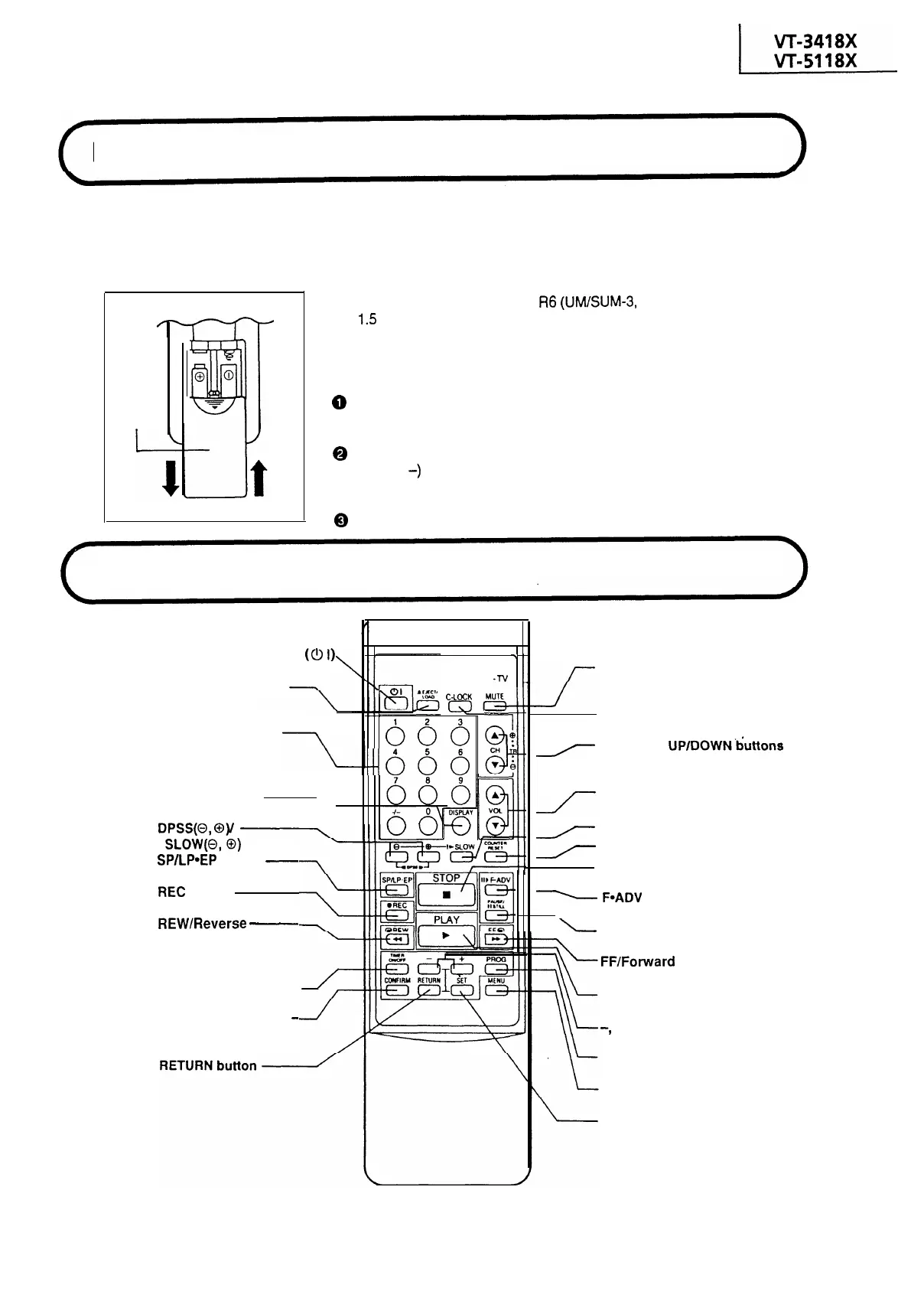
Remote Control Battery Installation
The remote control lets you operate this product at a distance. Just aim the front of the remote
control at the photoreceptor window situated on the front panel and press the appropriate
buttons.
Inserting the Batteries
Battery
cover
The remote control operates on two
R6
(UM/SUM-3,
AA)
1.5
volt batteries (included). If the remote control
does not operate or fails to function normally due to
weak batteries, new batteries can be purchased at
electronics or camera stores.
0
Open the battery cover. (Remove any old bat-
teries that may be in the remote control.)
@
Insert new batteries and match their polarities
( + and
-)
with the markings inside the compart-
ment.
@
Replace the cover.
Location
of Controls
POWER ON/OFF button
(0
I)
EJECT/LOAD button
I
SHARP
VIDEO
-TV
C-COCK
r
CHANNEL SELECT
buttons
666
--686
I
DISPLAY button
DPSS(O,
@)I
SLOW@,
0)
buttons
SP/LP*EP
button
-
REC
button
REW/Reverse
-
Video Search button
TIMER ON/OFF button
CONFIRMING TIMER
-
PROGRAMME button
/--
MUTE button
CHILD-LOCK button
r
CHANNEL UP/DOWN&&tons
(TRACKING buttons)
VOLUME ADJUSTMENT
1
buttons
r
SLOW PLAYBACK button
r
COUNTER RESET button
STOP button
-
F*ADV
button
-
PAUSE/STILL button
FF/Forward
Video Search button
PLAY button
-,
+ buttons
PROGRAMME button
MENU button
SET button
5



 To Next Page