EasyManua.ls Logo

Sharp ZQ-3000 - Page 11

Sharp ZQ-3000
18 pages
Print Icon
To Next Page IconTo Next Page
To Previous Page IconTo Previous Page
Loading...
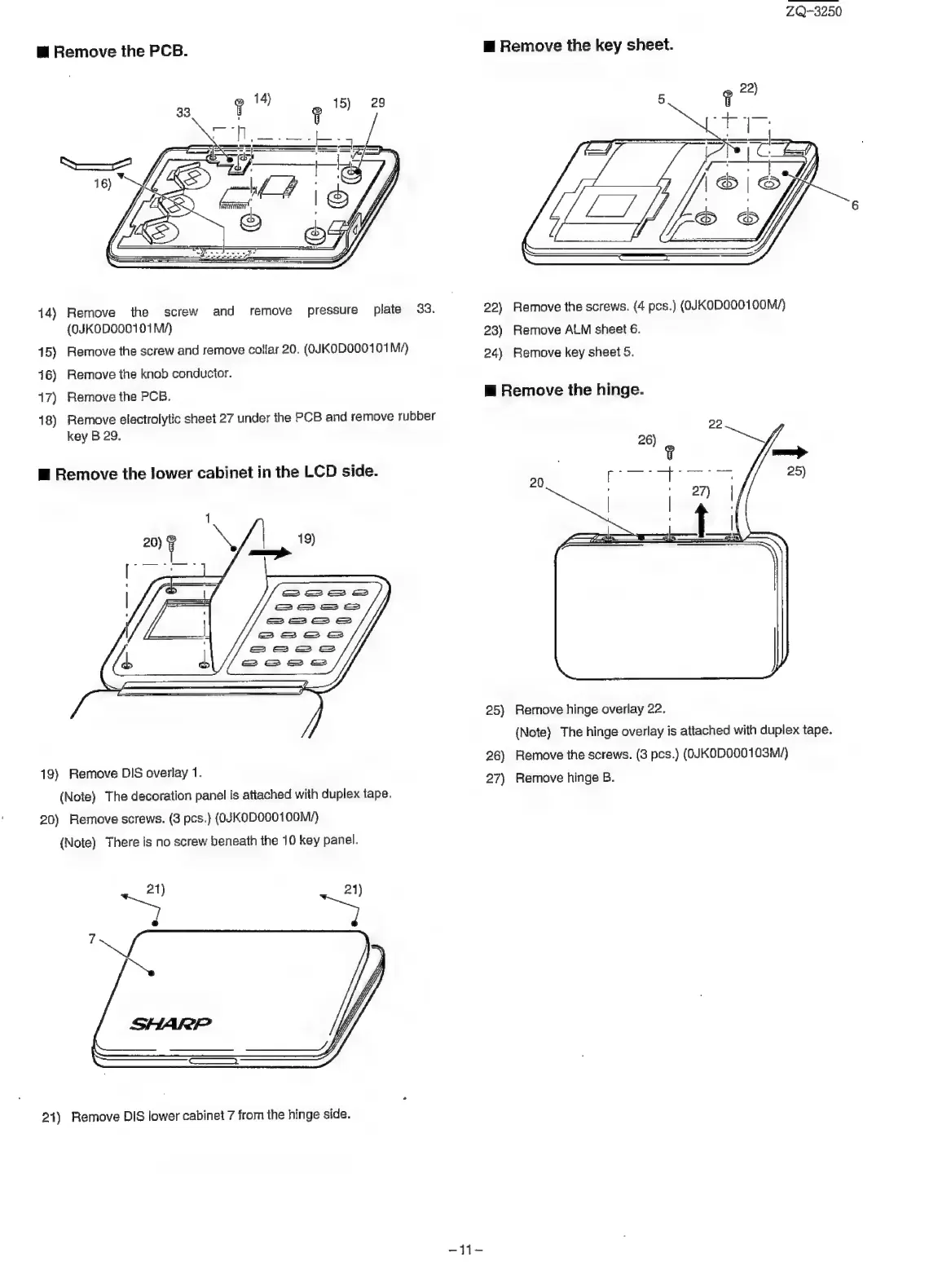
ZQ-3250
m
Remove
the
PCB.
m@
Remove
the
key
sheet.
14)
Remove
the
screw
and
remove
pressure
plate
33.
22)
Remove
the
screws.
(4
pcs.)
(QJKODO001
OOM/)
(QJKOD000101M/)
23)
Remove
ALM
sheet
6.
15)
Remove
the
screw
and
remove
collar
20.
(OJKODO00101
M/)
24)
Remove
key
sheet
5
416)
Remove
the
knob
conductor.
17)
Remove
the
PCB.
m@
Remove
the
hinge.
18)
Remove
electrolytic
sheet
27
under
the
PCB
and
remove
rubber
key
B
29.
@
Remove
the
lower
cabinet
in
the
LCD
side.
20)
=
~
25)
Remove
hinge
overlay
22.
(Note)
The
hinge
overlay
is
attached
with
duplex
tape.
26)
Remove
the
screws.
(3
pcs.)
(QJKOD000103M/)
19)
Remove
DIS
overlay
1.
)
Remove
overlay
27)
Remove
hinge
B.
(Note)
The
decoration
panel
is
attached
with
duplex
tape.
20)
Remove
screws.
(3
pcs.)
(0JKOD000100M/)
(Note)
There
is
no
screw
beneath
the
10
key
panel.
21)
21)
21)
Remove
DIS
lower
cabinet
7
from
the
hinge
side.
414

Related product manuals