EasyManua.ls Logo

Shenzhen Roundwhale Technology Co., LTD. R-C1 - User Manual

Shenzhen Roundwhale Technology Co., LTD. R-C1
40 pages
Print Icon
To Next Page IconTo Next Page
Loading...


3-in-1 Combo Electrotherapy Device
Shenzhen Roundwhale Technology Co., Ltd.
This manual is valid for the R-C1 Stimulator

Be sure to read this instruction manual before operate and
keep it where safe.
This user manual is published by Shenzhen Roundwhale
Technology Co., LTD.

Questions and Answers

  • G
    Gregory GilesJul 28, 2025
    What to do if rash or tickle on skin occurs during treatment with Shenzhen Roundwhale Technology Co., LTD. R-C1 Medical Equipment?
    • L
      Leonard WilliamsJul 28, 2025
      If you experience a rash or tickling sensation on your skin during treatment, it could be due to several reasons. First, the treatment time might be too long, so try doing the treatment once a day and shortening the duration. Second, the electrode may not be sticking well to the skin; ensure it is properly attached. Third, the electrode interface might be dirty or dry; clean it with a wet cotton cloth before use. Finally, you may be sensitive to the electrode. Check your allergy history, change the placement of the electrode, or shorten the treatment time. If your skin is over-sensitive, stop the treatment and consult a doctor.
  • T
    Tyler JohnsonAug 5, 2025
    Why is there no sensation of stimulation or weak stimulation with Shenzhen Roundwhale Technology Co., LTD. Medical Equipment?
    • S
      Sarah ParkerAug 5, 2025
      A lack of sensation or weak stimulation could be due to several factors. Check that the electrode is making good contact with your skin. Also, ensure the battery isn't depleted by replacing it with a fresh one. If your skin is too dry, wipe both the electrode and your skin with a wet cotton cloth.
  • K
    Kyle WalshAug 11, 2025
    What to do if Shenzhen Roundwhale Technology Co., LTD. Medical Equipment automatically halts during treatment?
    • W
      William WattsAug 11, 2025
      If the treatment halts automatically, it could be because the electrode has lost connection with your skin; check and reposition the electrode properly. Alternatively, the battery might be depleted; try replacing it.
  • B
    Brian MorrisAug 19, 2025
    How to fix no display after battery replacement in Shenzhen Roundwhale Technology Co., LTD. R-C1 Medical Equipment?
    • J
      Joann ButlerSep 12, 2025
      If there is no display after replacing the battery, check the battery compartment and interface for any foreign objects and clean them if necessary. Ensure the battery is new and installed correctly. Also, verify that you are using the correct battery model. If problems persist, replace the battery with the right model.

Summary

1. FOREWORD

Introduction and Medical Background

Overview of the device and the therapeutic principles of TENS and EMS.

2. SAFETY INFORMATION

Intended Use and Contraindications

Details the device's intended applications and critical safety warnings.

General Warnings and Precautions

Lists essential safety advice to prevent injury and device damage.

3. GETTING TO KNOW YOUR DEVICE

Device Components and Display

Identifies all included accessories and explains the device's LCD screen elements.

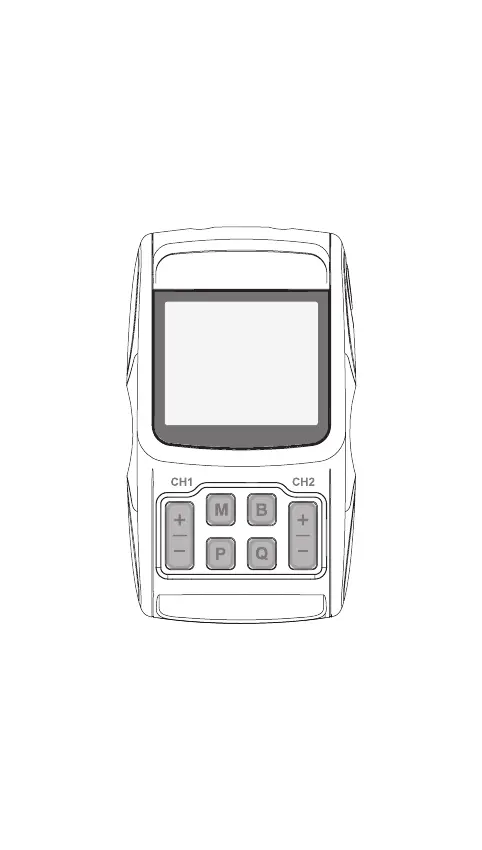
Device Illustration and Controls

Visual guide to the device's physical layout and button functions.

4. SPECIFICATION

Technical Specifications and Performance

Provides detailed technical data, operating conditions, and performance metrics.

5. OPERATING INSTRUCTION

Battery Installation and Disposal

Instructions for managing device batteries, including replacement and disposal.

Connecting Electrodes to Device

Steps for connecting electrode wires to pads and the main unit.

Electrode Pad Compliance and Usage

Emphasizes using compliant electrode pads and initial usage advice.

Electrode Options and Skin Placement

Discusses electrode types and proper placement on the skin.

Electrode Placement for TENS Therapy

Illustrates electrode positioning for TENS programs on various body parts.

TENS Electrode Placement Examples

Provides further visual examples of TENS electrode placement.

Electrode Placement for EMS Therapy

Illustrates electrode positioning for EMS programs on various body parts.

6. INSTRUCTIONS FOR USE

Powering On and Mode Selection

Steps to turn on the device and select the desired treatment mode.

Selecting Body Part and Program

Guides users on choosing treatment body parts and specific therapy programs.

Starting and Adjusting Treatment Intensity

How to initiate a session and control stimulation intensity levels.

Pausing, Stopping, and Powering Off

Procedures for pausing, ending treatment, and turning off the device.

Device Status Monitoring

Explains how the device indicates load, records, and battery status.

Battery Safety and Sound Prompts

Important battery handling precautions and sound function settings.

Electrode Pad Usage and Skin Irritation

Guidelines for using electrode pads and managing potential skin irritations.

Electrode Pad Care and Attachment

Advice on electrode pad maintenance, attachment, and warnings.

Electrode Placement Guidance

Detailed advice on where to attach electrode pads for optimal results.

7. Program

TENS Mode Programs

Specific treatment programs, waveforms, frequencies, and timings for TENS mode.

TENS and EMS Mode Programs

Details treatment programs, frequencies, and timings for TENS and EMS modes.

Massage Mode Programs

Specific treatment programs, frequencies, and timings for Massage mode.

8. Cleaning and maintenance

Device Cleaning and Care Procedures

Step-by-step instructions for cleaning and maintaining the device.

Maintenance and Repair Information

Information on authorized maintenance, unauthorized repairs, and warranty implications.

9. Troubleshooting

Common Malfunctions and Solutions

A guide to identifying common device issues and their corresponding countermeasures.

10. Storage

Proper Storage Guidelines

Recommendations for storing the device to prevent damage and maintain functionality.

11. Disposal

Disposal of Device and Batteries

Instructions for environmentally responsible disposal of the product and its batteries.

12. Electromagnetic compatibility (EMC) tables

EMC Emissions Guidance

Details the device's electromagnetic emissions compliance with relevant standards.

EMC Immunity Guidance

Details the device's immunity to electromagnetic disturbances and environmental guidance.

Voltage Variation and Magnetic Field Immunity

Explains device performance under voltage fluctuations and magnetic fields.

Radiated RF Immunity and Separation Distances

Outlines requirements for radiated RF immunity and recommended separation distances.

RF Wireless Communications Immunity Tests

Technical specifications for immunity to RF wireless communications.

13. Normalized symbols

Device and Safety Symbols Explained

Interpretation of common symbols related to device operation, safety, and recycling.

14. WARRANTY

Warranty Terms and Conditions

Details the warranty period, proof of purchase, and general repair conditions.

Warranty Exclusions and Liability Limitations

Specifies cases not covered by the warranty and limitations on liability.

Shenzhen Roundwhale Technology Co., LTD. R-C1 Specifications

General IconGeneral
BrandShenzhen Roundwhale Technology Co., LTD.
ModelR-C1
CategoryMedical Equipment
LanguageEnglish