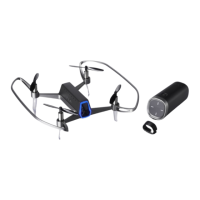
Battery charger for SHIFT RED user guide ⓒ this is engineering Inc. All rights reserved.
2 3
Thank you for purchasing the SHIFT RED Battery Charger.
Carefully read this User Manual before using the Product. Failure to read and
follow the instructions in this document may result in serious personal injury or
damage to this product and its surrounding objects. By using this product, you
hereby agree to this disclaimer and the terms and conditions set forth in this
document, and this is engineering Inc. assumes no liability for any damages
and any legal liability arising directly or indirectly from the use of the Product. All
information contained in this document may be updated through our website
(http://www.thisiseng.com) without prior notification.
Disclaimer
Part name
English
Battery charger for SHIFT RED
user guide
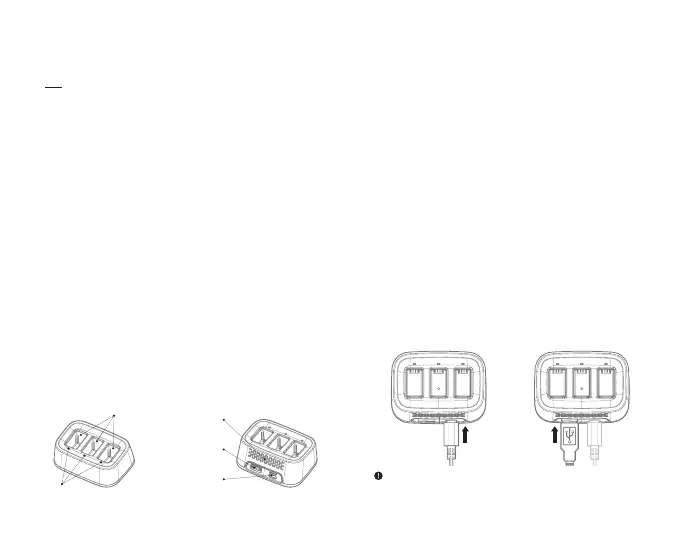
LED
Battery slot
Heat vent
Charging port for
controller
External
power supply
Precaution
1.
2.
3.
4.
5.
6.
This product is intended for use with the SHIFT RED only.
Do not use with any other product.
Please use the product on a flat and stable surface.
Be sure to use an external power supply capable of outputting more than
5 V / 2 A. Using insufficient power may result in improper charging.
Be sure to unplug all cables when not in use.
Be sure to check if there are any foreign substances in the ports before use.
If there are any, remove them with a dry cloth.
If you discover an unusual smell or sparks while using the product, stop
using it immediately and contact the service center.
This product is a battery charger intended for use with the SHIFT RED Dynamic
Flight Battery and the SHIFT RED Controller. External power supplies such as
portable chargers may be used to supply power to the charger for charging on-
the-go. The charger can simultaneously charge up to 3 batteries and charges
the battery with the most power first to reduce standby time. It also supports a
smart charging management function that automatically adjusts the charging
speed according to the environment.
Battery Charger x 1, USB-C Type Cable x 1, Multilingual user manual x 1
Components
Introduction
How to use
1.
2.
3.
1.
2.
3.
Connect the charging cable with
the carger as shown below. (The
LED indicator will flash to indicate
connection with a power source.)
Insert the battery to the charging
slot. (The LED will flash to indicate
battery has been inserted.)
When charging is complete, the
LED remains on.
Connect the charging cable with
the charger.
Connect the controller to the
charger as shown below.
You can check the charging status
through the LED on the SHIFT RED
controller. (Refer to the SHIFT RED
controller manual for details.)
· Charging the battery · Charging the controller
Controller charging port is intended for use with the SHIFT RED controller and normal operation
cannot be guaranteed when charging other products. ( drones, mobile phones, etc.)


 To Next Page
 Loading...