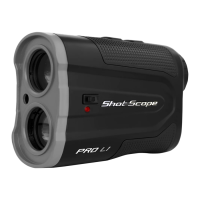
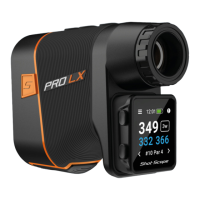
Laser Description
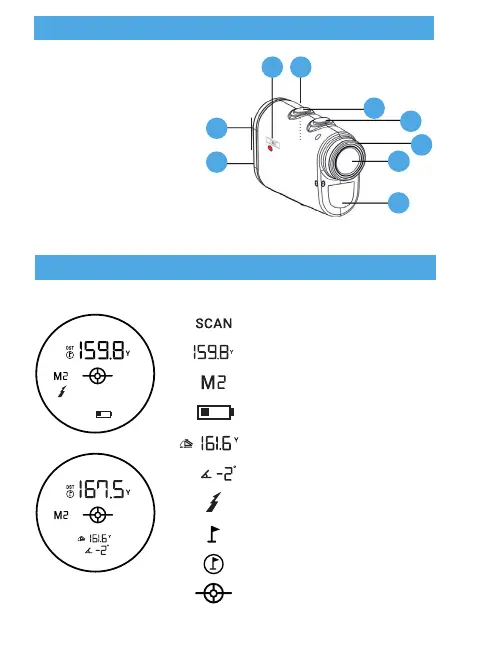
LCD Display 94% Optical Transmittance
1. Laser Sending Lens
2. Laser Receiving Lens
3. Replaceable Battery Port
4. Eyepiece
5. Focusing Ring
6. Power Button
7. Mode Button (Meter / Yard)
8. Slope Switch (On / Off)
9. Black / Red Optics Switch
Continuous Measuring Icon
Actual Distance
Mode Icon
Low Battery Indicator
Slope Value
Degree of Slope
Laser Icon
Golf Mode Indicator
Target-Lock Vibration
Sending Laser
Instructions and Settings
Eyepiece
Focus is adjustable as shown in
diagram. Rotate the ring clockwise
or counterclockwise to adjust to the
correct focus for your eyes.
1. Adjust magnications (X6)
2. Adjust the reading display to make
the reading appear clearly
Battery
Rangender requires a CR123 battery and supports approximately 5,800
measuring times. When the low battery indicator starts ashing on the
screen, it means you need to change the battery.
1. When the battery icon “ ” appears on the screen it means
the battery is low and should be replaced.
NOTICE: Dispose of the Shot Scope device, battery and
packaging in accordance with local regulations.
Do not dispose of the battery with regular household waste.
Technical Data
Measuring Distance: 875 Yards
Magnication: x6
Field of View: 122m (7° of eld of view)
Objective Lens: 25mm
Eyepiece Lens: 12mm
Exit Pupil Diameter: 3.9mm
Laser Type: 905nm, Class 1
Lens Coating: Fully Multi-Coated
Battery: CR123
Measuring Time: 0.5-1sec
Distance Measurement Accuracy: +/- 1m or 0.1%
Angle Measurement Range: +/- 45°
Net Weight: 160 Grams
Dimensions: 112 x 45 x 75 mm
Low Battery Indicator: Yes
Target-Lock: Yes
Scan Mode: Yes
Target-Lock Vibration: Yes
Water Resistant: Yes
Shot Scope PRO L1 Rangender includes:
1 x Shot Scope PRO L1 Rangender
1 x Lanyard
1 x Carry Clip
1 x Premium Carrying Case
1 x Cleaning Cloth
1 x CR123 Battery
Adaptive Slope Technology
Adaptive Slope technology provides the golfer with compensated distance
based on hole’s uphill or downhill. For example: A 156.8 yards uphill shot of
7 degree really plays at 176.8 yards, without slope correction distance
function, you would come up 20 yards short (applicable to M2).
Mode Change
Press the “M” button to change measuring mode between following modes:
Customize the optical display in either Red or Black, ensures the golfer can
read the display clearly in all settings. To change between Red and Black,
use the switch on the right side of the laser.
Continuous Scan Mode
Hold down “Power” button while ranging, the data on the LCD screen
will change as you move.
Changing Units
Press “ M ” button for 3 seconds to change units between Meters or Yards.
Power ON/OFF
1. Press Power button “ ” for a second to power on the rangender.
2. Rangender will power off automatically after 10 seconds of inactivity.
M1
Continuous Scan Mode
M2
Golf Mode
Slope + Target-Lock Vibration
+ Angle
M3
Speed Mode
Default unit: km/h
Modes
Red / Black Dual Optics
98
7
6
5
4
3
1
2


 To Next Page
 Loading...