7
Smart Mobile Devices Operation
Please remove the audio cable from Mini Show Box if using Wi-Fi operations.
1. Download application named “Show Box” App on your smart mobile devices.
(iOS : App store/Android/HTC : Google play, play store)
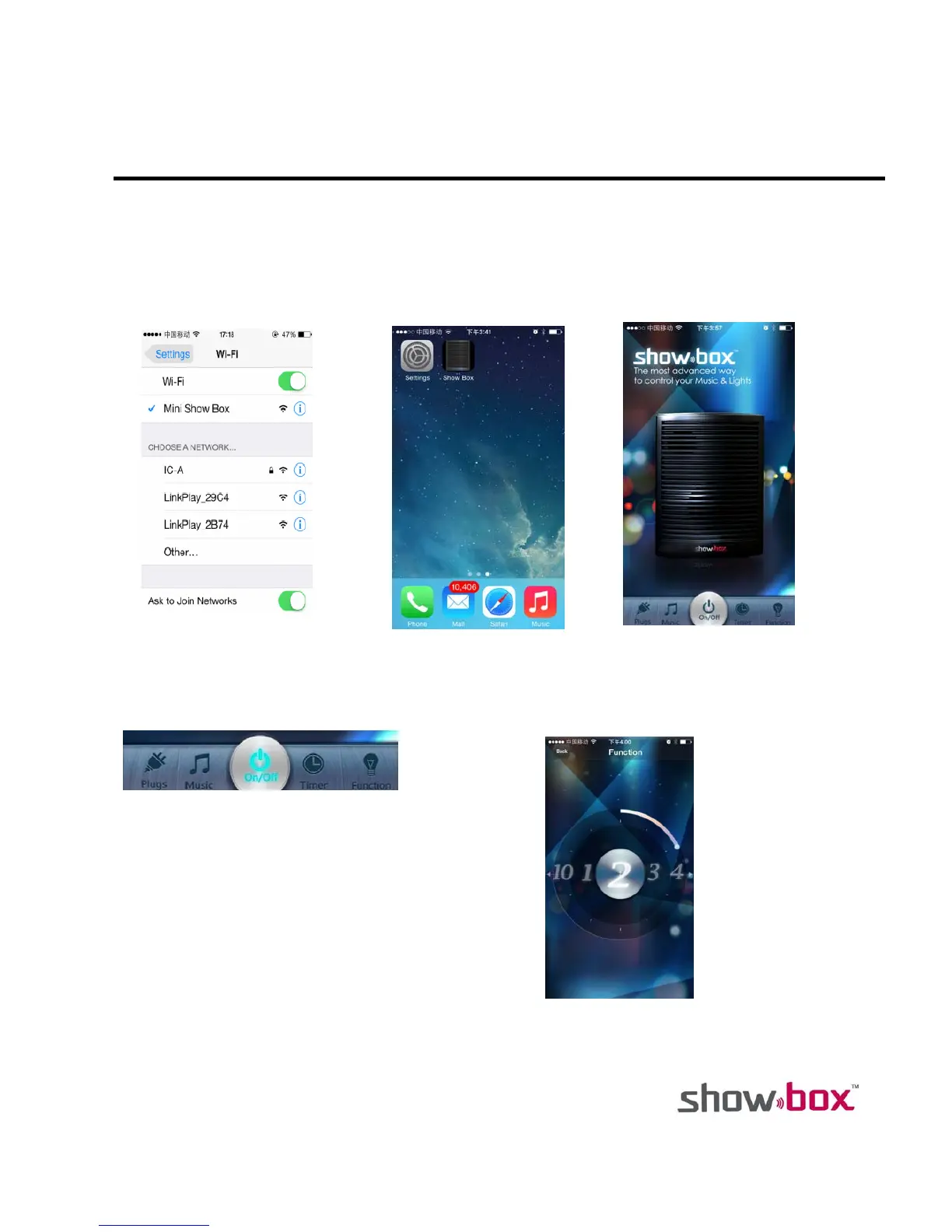
2. Go to Set on device for Wi-Fi setting. Look for “Mini Show Box” and select it to get connected. (Fig. 1)
3. Start “Show Box ” App. (Fig. 2)
4. The opening screen of application “Show Box” is shown on Fig. 3.
5. Main Menu is shown on Fig. 4.
Fig. 1 Fig. 2 Fig. 3
Fig. 4
POWER SWITCH
This is to turn on/off the Mini Show Box.
FUNCTIONS SELECTION
10 functions can be selected by sliding horizontally.
The color of this icon changes after each pressing.


 To Next Page