9
MUSIC PLAYER OPERATION FOR IPHONE USER
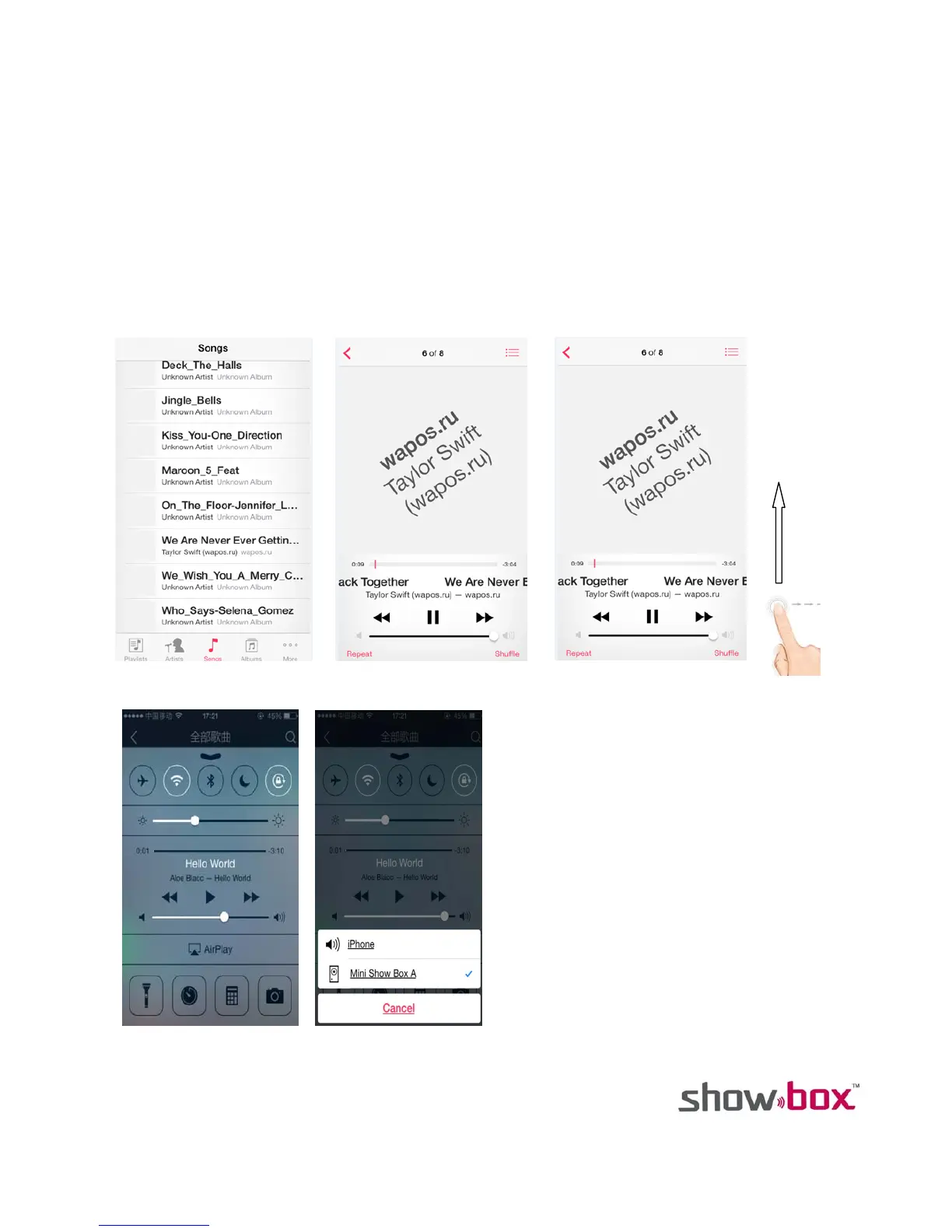
1. Touch the music icon from the main menu.
2. Application will open your music playlist.
3. Select a song from the playlist. Once selected, swipe screen from bottom to top to open new screen as
Fig. 3.
4. Select “AirPlay” in the new screen as Fig. 4.
5. On the next screen, select “Show Box”. The music will begin playing through the Show Box and lights will
dance with music.
6. Detailed step by step images shown from Fig. 1 to 5.
Fig.1 Fig. 2 Fig. 3
Fig. 4 Fig. 5



 To Next Page