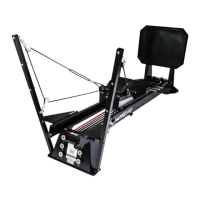
1. Unwrap and remove hardware from the Towers, as well as loosening the bottom bolt on the
Towers."
2. Place both Towers (one on each side) on the plastic blocks at the Head-End Stand. (Pic
9.2)"
3. Secure the Towers to the Wings with the hardware originally attached to the Towers. Secure
the base of the Towers by tightening the bottom bolt. (Pic 9.3)"
4. Attach the PNF Pulley from the Towers Bag to the desired height. "
5. Feed the rope through both Pulleys. (Pic 9.5)"
6. Locate the Rope Cleat on both sides of the Carriage and secure the end of the Rope by
pushing it down and back into the Rope Cleat. (Pic 9.6)


 To Next Page