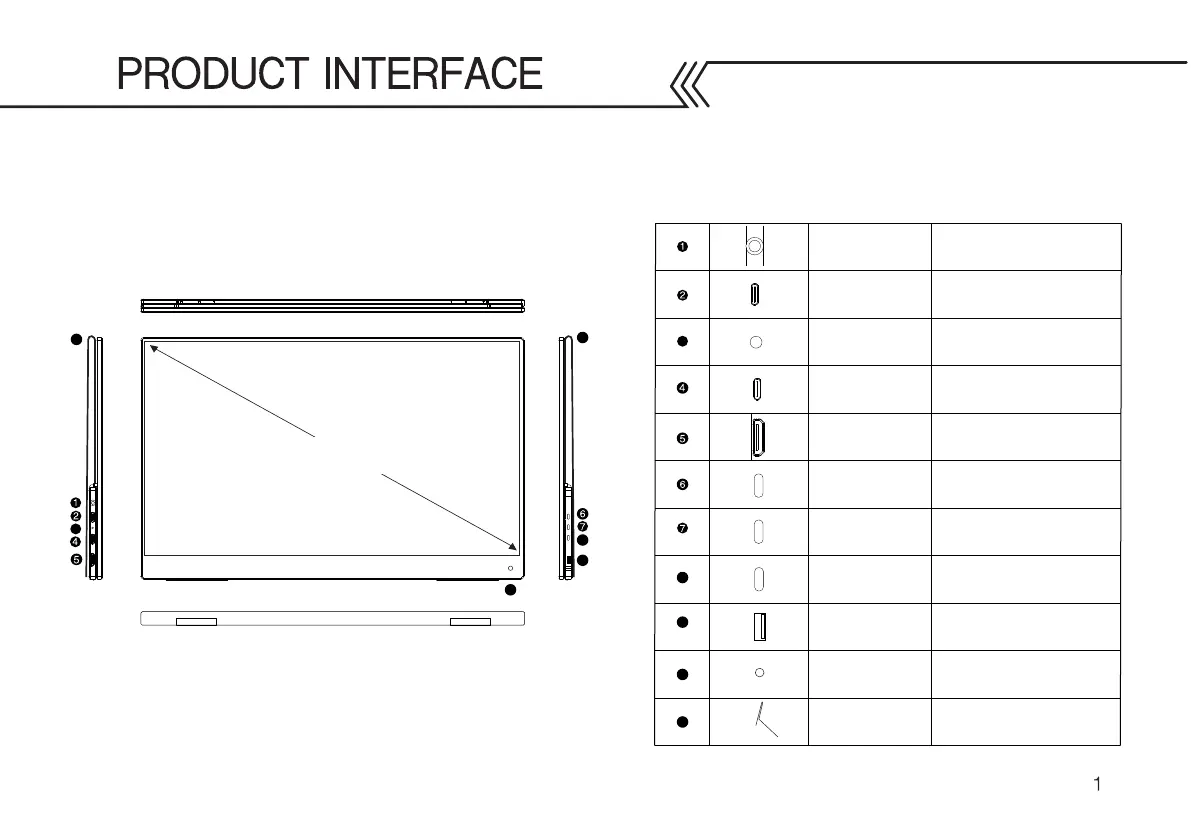
Type-C USB Input
On/ Off & Menu
Button
3.5mm Headphones
Input
3
Power on and off / Menu Button
HDMI Input
USB-C type power and
graphics connector
HDMI type power connector
External audio connector,
headset
3
SideTrak Solo 4K Portable Monitor
15.6 inches
Type-C USB Input
USB-C type power only
LED Indicator LED Light Indicator
8
8
9
9
Volume / Menu
Button
Increase (+) Volume / Upward
selection in the menu
Decrease (-) Volume / Downward
selection in the menu and return
USB input for external
keyboard, mouse, U disk, etc.
USB Input
10
11
10
Remote Sensor
11
11
Protective Case/
Kickstand
Volume / Menu
Button
Receives signal from a remote
controller
Screen protector that doubles
as a kickstand



 To Next Page