If the monitor won’t turn on, connect the USB-A to USB-C cable along with the HDMI cable.
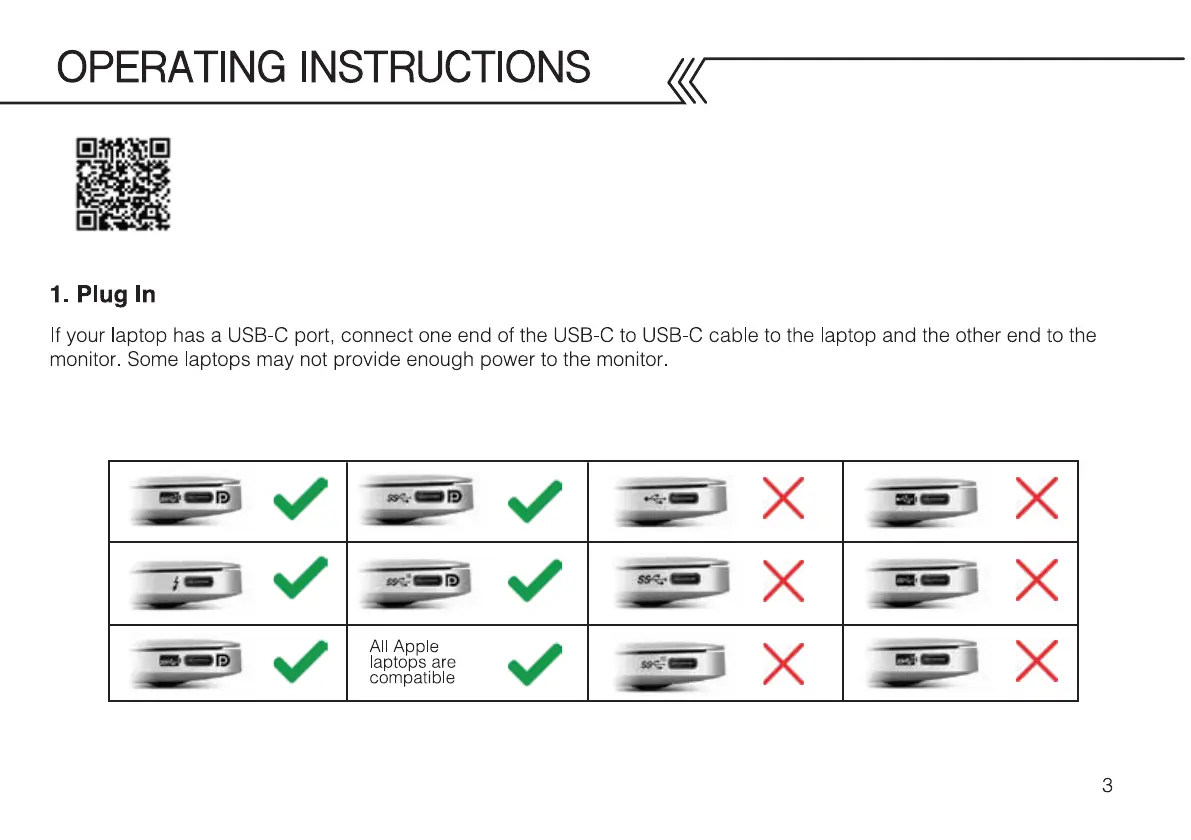
Check the USB-C port on your laptop for the symbols
shown in the table below. If you have one of the green checked symbols, then your USB-C port will provide data and enough
power to the monitor. Note, MacBook ports are compatible even if there are no symbols next to it.
Watch the installation video here



 To Next Page