Q
F*
E R ft A
11.3 FROM TAPE
<Data toadimj
from
i*!Pe>
Selecting function the DF'FRft /> wilt
be loaded
with
the
9'5
pr
og'i arrif> conta i
in
the thu<»
cancelling
the onein prevtauel/ rnemor
i »
1* Connect recorder to QF'ERA ^ aLrewidy exp la i ned f
2* Switch TAPF HN/nFF
Stiwitch
ON*
3* Select the desired fumc+ion <MODE INTERFACES switch).
4.
Rewind to
start
of tapwt
5. Use only
tapes whicti have been
already
verified
<with
VERIFY)
.
A* Set your
rei"order
to PLAY position.
7. Switch ENTER ^Opera A>
to initiate
Aiemor
<
:i:at i o n.
S.
With memo>' t :eat i on completed the
FROM
LE£i
out^
and the ENTER LED blinks; this means
that the
cassette
prografAS loading was cor rent
»
9* If at data transfer r.onipteted the
FROM
LED stays lit^
an
^rror
has
otcurre>d in the*
data transfer*
Repeat
FROM
opeVi‘jt i
o n after checking all
connections^
VO nund connections of the devices <synth and recorder).
12
n.i.D.i.
(Musical
Instrument EiigitaL
Interface)
The
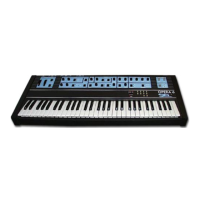
OPERA
A features a universal,
interface
system
used in
several applications*
The
instrument actually com^uin i cates with -and is
prepared
to receive data from^ other H*I*D*I*
e'^Luipped
devices*
It is passible to make different i ns t r u«ie nt s all play from
one
keyboard^ or to connect your synth
to a personal
computer# to a poly “ie^Luencer# etc.*
Uifh the MODE switch you can select the INTERNAL* EXTERNAL*
INTERNAI../EXTERNAL functions^ in order
to
communicate
and/or
receive possible program changes* If you want to play two
synths
through
*
connect
the M+X*D*I+ input (IN)
of
one synth to
the
output
(OUT)
of the other one*
and
vice-versa*
Wow
the two instruments
are i nteY^connec
ted*
ready to rommunitiate with each other
and
transmit
the notes
you will play on one of
the two
keyboards*
If you set the Opera 6
MODE
switch to EXTERNAL.* il
will
be
possible
for you
to
change
the other
synth^s progvartti if
you
set it to INTERNAL* you
will
he able to change
OPERA
6
pv'ogram
from
the
otl\er
synthj setting
it to IWT/EXT
you can
change both instruments' programs s imuLtarieously +


 To Next Page
 Loading...