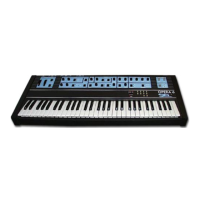
OPERA
6
th« OF'ERA ^
mmed i^l\.
potent 1 offtwtwrtt with v^Lu»i» c4>rv«iRpond i to
th«lr
real
posit ^ L IL
ON/OFF in off position)*
3*2 PROGRAH EBIT
To
modify
or
re^’memor i
ze
a program i* very
*asy*
If ycui wish to
t:h^!»ng«a
^ny factory soand s*
simply
adjust
the position of the vavMous controls* As soon as you
change any parameter ov' the position of the controls* the
ENTER LED starts b t i nk i
ng
and the
dec
i ma t
point
near the
program numheY Lights*
To
cancel
changes* p>^ess ENTER* In this way you ui i
L
i. recall
the memor i zed sound and re-assign tht^ va luer
and on/off
positions to the controls you had altered*
The
FREE
function disables tfr*e display av^d sets
to a '^paneL^' position* ready to be progra
3*3 PROGRM<1 RECORD
IMP 0 R T A N Tt
at
power on or after from/to tape
recording the
OPt“RA
6 is
not enabled to
record new programs*
To modify F^rograms or
create
w>w ones follow the instructions
belcwt
There are several ways .of recording a progY'am*
A) Alter an already programmed sciuykI and recor'd
it
to its
D Id memory
Locat
i
oy>i
B>
Alter an already programmed sound aTid rerord
it to a
new
Armory Locatiohi
Create d sound from the FREE position and record it to
a memoY'y location;
D)
Transfer one or
more sounds from
one
location
to
another
*
A)
Select
HID! INTERNAL fuTiction# recall number 9S on
display and pre«;s ENTER t now thie OFERA A ts v eady to record
new programs)*
Recall any
prYigram from OO
to
94*
edit
one
or
more
features of
the sound
(ENTER
LED
blinks and decimal
point
Lights)* Press RECORD (display and ENTER LED blink)* Now*
pressing ENTER* you enable
recording
of the new program to
the number of
memory
you see flasliing on the display*
cancelling
the progi^am
that
was
pr^^^viously
memorized there*
If, for any
reason,
you wish to exit RECORD mode without
completing the record ing
phase with
the ENTER switch* simply
switch RECORD again; in this way RECORD mode is
disabled
and
the
instrument plays the edited program* Switch iivg ENTER
the
instrument will reset to its initial position
without
affecting
the
pr
ogY’am memory
t
D>
Select
HlDl
IttTERNAL functioTi,
retvdj
L I. number
9?5 on
displcty
and
press
ENTER (now tlie OPERA A is
to
record
new programs)
*
Recall any program from 00 to 94* edit one or more
sound
paraimtevs (ENTER LED blinks)*
Switch
RECORD (display
and
ENTER LED
blink)* Now select the lYew Location
number
^
switch
ENTER to enable recording of the new program to the
number
of
memory
you
see flashing on the display*
cancelling
the
program
that was previously
memorized theve*


 To Next Page
 Loading...