en Familiarising yourself with your appliance
44
2. Using the mains plug, connect the
appliance to an earthed socket
that has been correctly installed.
Familiarising yourself with your appliance
4 Familiarising yourself
with your appliance
Familiarising yourself with your appliance
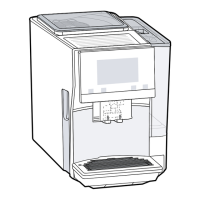
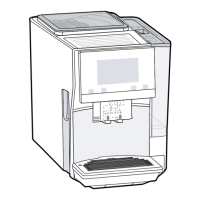
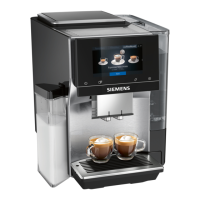
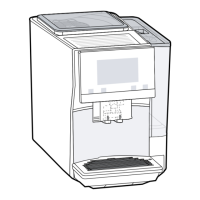
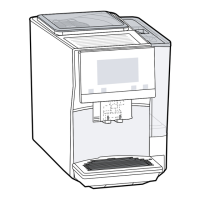
4.1 Appliance
You can find an overview of the parts
of your appliance here.
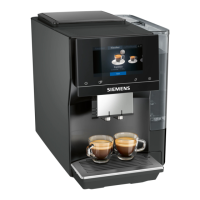
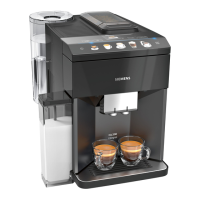
Note:Individual details and colours
may differ, depending on the appli-
ance model.
→Fig. 2
Milk container
Touch fields
Cup heater
1
Aroma lid
Bean container
Rotary selector for grinder
setting
Tablet compartment
Cover for water tank
Water tank
Touch display
Brewing chamber door
Cup lighting
Rating plate
Milk system
Beverage outlet cover
1
Depending on the appliance spe-
cifications
Drip tray
1
Depending on the appliance spe-
cifications
4.2 Controls
You can find an overview of the con-
trols for your appliance here.
Touch fields
Here you can find an overview of the
symbols that are always visible.
Switch the appliance on or
off.
Dispense two cups.
Open or close the service
programmes.
Open or exit the settings.
Touch display
The touch display functions both as a
display and a control.
Favour-
ites
Select saved beverages
with personal settings.
→Page50
Classic Select standard bever-
ages.
coffee-
World
Select basic beverages
which can be extended in
conjunction with
Home Connect.
Cup warmer is switched
on.
Appliance is connected to
HomeConnect.
Note:When the appliance is
switched on, you have additional op-
erating options with relevant displays
and messages, e.g. beverage set-
tings.
Set strength.
Set per-cup quantity.



 To Next Page
 Loading...