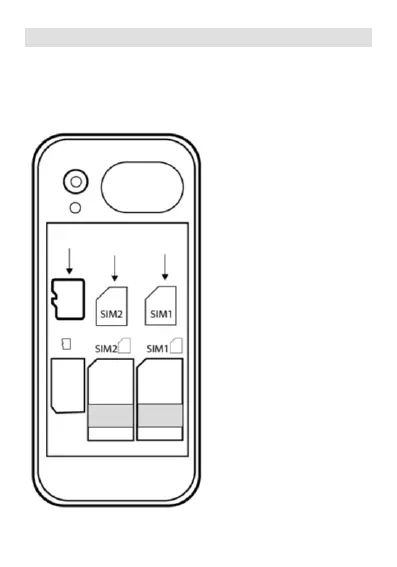
Inserting SIM cards and memory card
Open the back cover.
Insert SIM cards in proper device slots.
Insert also micro-SD card, if required.
Insert battery, controlling
that battery contacts fit
phone contacts.
Be careful, broken card or
batteries cards lead to
device breakage and
cancelling warranty.
Close back cover.
Power on the phone long
pressing button 9 (red
handset).
It is recommended to
arrange full battery charge
before first use.


 To Next Page