9
For Server 2008 / Server 2008 R2: Right click
Computer, click Manage, double click
Diagnostics, click Device Manager.
2. Double click Ports (COM & LPT),
CyberSerial 16C550... should be displayed.
3. Double click Multifunction adapters, SIIG
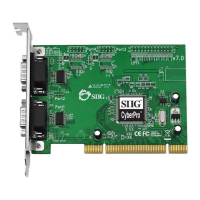
CyberPro 2S board should be displayed.
Windows ME
1. At the Add New Hardware Wizard, choose
Specify the location of the driver
(Advanced), click Next.
2. Check Specify a location, uncheck the other
box, insert the driver CD, type in D:\9x,
then click Next. (Change D: to match your
CD-ROM drive letter)
3. Click Next and Finish.
4. Repeat steps 1-3.
5. Restart Windows to complete the
installation.


 To Next Page