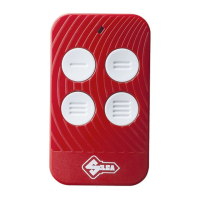
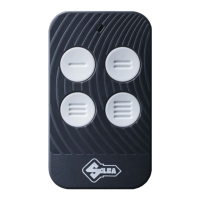
Air4
English
5Copyright Silca S.p.A 2018
ENGLISH
ATTENTION: before copying make sure the original remote control is working properly.Check the
state of the ba ery.
COPY FIXED CODES :
1.Press and hold down bu on 1 on the “Air4 L-Air4 L IB” remote control and at the same me
press bu on 4 four mes.
2. Release both bu ons: the “Air4 L-Air4 L IB” remote control LED
will fl ash briefl y about every 2 sec.
3. Place the remote control to be cloned back to back with
the “Air4 L-Air4 L IB”
4.Press and hold down the bu on to be copied from the original remote
control and wait for the “Air4 L-Air4 L IB” LED to start fl ashing rapidly, which confi rms that the
code has been acquired. This opera on may take a few seconds.
5.While the LED is fl ashing,
press the “Air4 L-Air4 L IB” bu on to which the code must be transferred and hold down un l
the LED goes out.
N.B. •If the LED goes out unexpectedly it means the code has not been acquired. Repeat the
opera on from point 1.• To programme the second “Air4 L-Air4 L IB” bu on, repeat the opera-
on from point 1.
COPY ROLLING CODE NORMAL* :Follow the “Fixed Code” instruc ons.
COPY ROLLING SECURE LEARNING* :
1. Press and hold down bu on 1 on the “Air4 L-Air4 L IB” and at the same me press bu on 4
four mes. 2. Release both bu ons: the “Air4 L-Air4 L IB” LED will fl ash briefl y about every 2
sec. 3. Place the remote control to be cloned back to back with the “Air4 L-Air4 L IB” 4. Press
and hold down the bu on to be copied from the original remote control and wait for the “Air4
L-Air4 L IB” LED to go on without fl ashing and then start double fl ashing about every 2 seconds.
5.Transmit the original remote control source code (check the website www.silca.biz to fi nd
the one for the remote control you want to copy).
6.The “Air4 L-Air4 L IB” LED will fl ash rapidly;
press the bu on by which the code will be memorised and hold down un l the LED goes out.
(*) Full list of original models at: www.silca.biz.
N.B.: Transmit the source code to copy an “Air4 L-Air4 L IB” remote control programmed as “Rol-
ling Secure Learning”.
PROCEDURE A.L.S.:Simplifi ed procedure to ac vate the remote control on the receiver. The list
of receivers compa ble with the procedure can be found on www.silca.biz. For other receivers
see the original instruc ons provided by the manufacturer.
N.B.:Follow A.L.S. procedure before using the original remote control.
1.Stand close to the automa on 2.Hold down the programme bu on for about 10 seconds;
release when the LED starts to fl ash 3.Wait un l the LED goes out.
ATTENTION : receivers may have the radio channel disabled. In such cases enter the new re-
mote controls using a manual procedure.
TRANSMISSION OF “Air4 L-Air4 L IB” SOURCE CODE :
1.Press bu ons 1 and 2 on the remote control simultaneously for 8 seconds and release when
the LED fl ashes.2.While the LED is fl ashing press the bu on for which the source code is requi-
red.
BaƩ ery replacement: Use a star screwdriver to loosen the screw on the back of the “Air4 L-Air4
L IB” remote control.The “Air4 L-Air4 L IB” remote control is powered by a 3V CR2032 LITHIUM
BATTERY. Check polarity-Do not throw fl at ba eries away: dispose of them in the special waste
sor ng centres.


 To Next Page
 Loading...