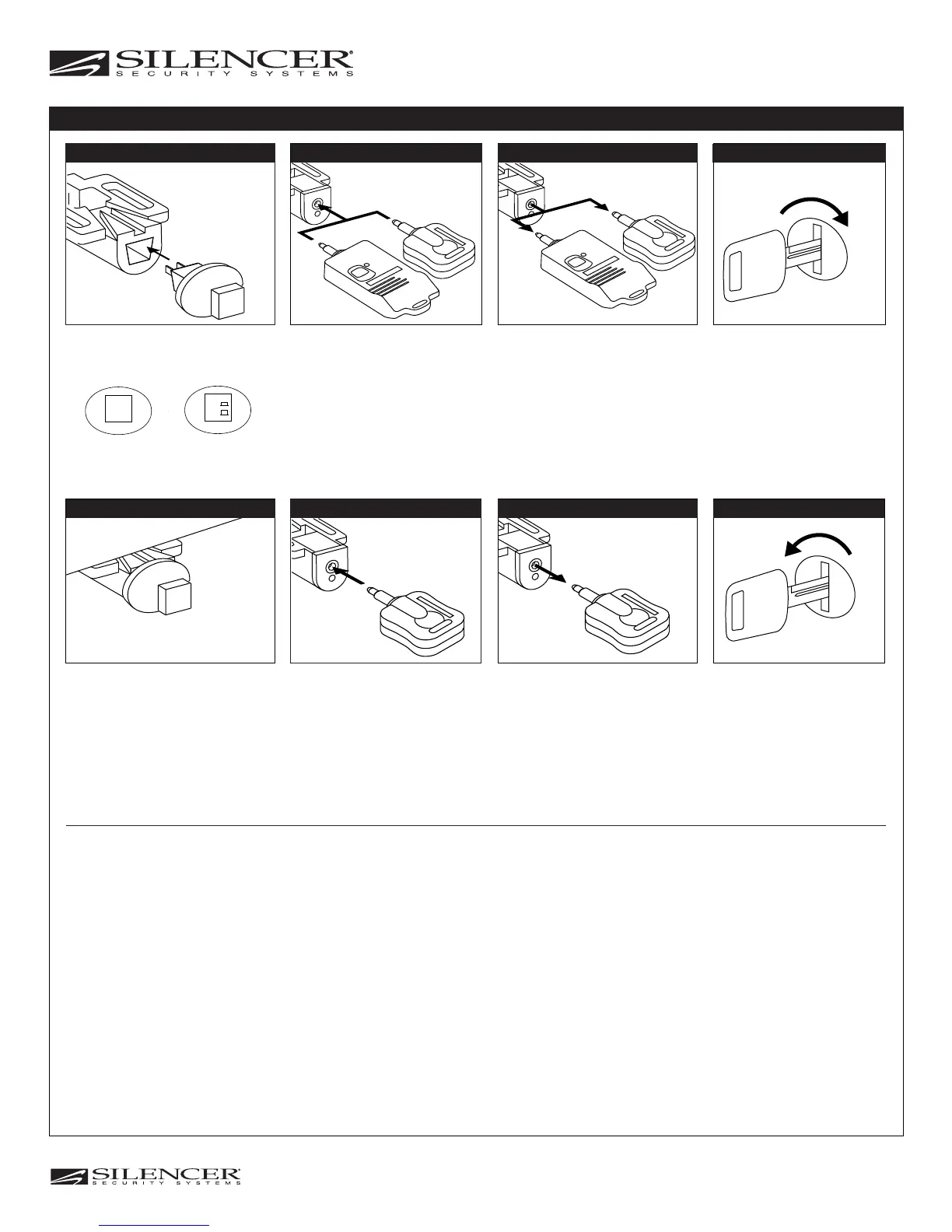
Remove the Dealer Key Turn On Ignition
Insert the Customer Key
A. Another short horn chirp indicates
the key code was learned.
Note: The system will automatically
exit code learning if a key is not
inserted within 15 seconds.
*** Model: 5900PKP
Turn Off Ignition
A. A short and long horn chirp
indicates you have exited code
learning.
Remove the Customer Key
Step 3 Step 4
Step 6
Step 8
Step 7
Insert the Dealer Key
Step 2
Insert the Valet Switch
Step 1
Dealer Switch
(Red Button)
Consumer Switch
(Black Button)
Push the Valet Switch
3 Times for Red Button
6 Times for Black Button
(Represents 3 Times On/Off)
A. Long horn chirp indicates the unit is in
code learning mode.
Step 5
Note: The dealer key will be erased when programmed to the customer key.
CONSUMER KEY CODING
Momentary Switch
(Push On/Off)
Toggle Switch
(Push On then
push it again for off)
**
*
* Model: 5910K
** Model: 5900-DB (Blue Key)
5900-DG (Green Key)
5900-DR (Red Key)
5900-DY (Yellow Key)
***
Models: 7921P, 7909P, 7905P
6900P, 6900P-2, 6905P, 6909P
Proposed
© 2005 Copyright Magnadyne Corp.
1111 West Victoria Street
Compton, CA 90220 www.magnadyne.com


 To Previous Page
 Loading...